
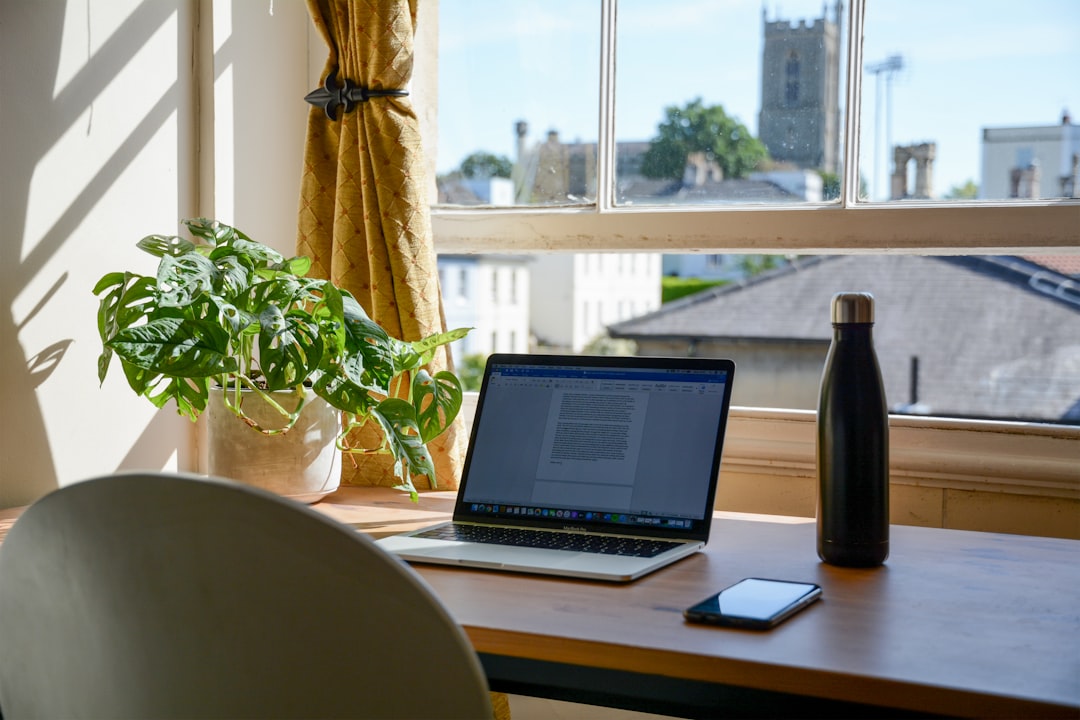
The $100 Desktop Gadget That Fixed My Afternoon Brain Fog
I used to think afternoon exhaustion was just part of the job. You know the feeling — that 2:30 PM wall where your brain feels like it’s wading through molasses, sentences take twice as long to write, and your ability to make coherent decisions basically evaporates until tomorrow morning. I blamed everything: poor sleep, caffeine crashes, burnout, the existential dread of staring at spreadsheets for six hours straight.
Turns out, I was wrong. It wasn’t me — it was the air I was breathing.
After months of chasing productivity hacks that didn’t actually work, I finally bought a desktop air quality monitor on a whim. What it revealed about my home office changed everything: CO₂ levels regularly climbed above 1,400 parts per million during my peak work hours, high enough to measurably impair cognitive function. I’d been spending eight hours a day working in air that was actively making me dumber. Once I fixed it, the afternoon brain fog I’d accepted as normal vanished. Here’s what I learned, which monitors actually work, and why this invisible problem might be sabotaging your productivity too.
The Invisible Productivity Killer in Your Home Office
Here’s the thing about indoor air quality: you can’t see it, you can’t smell it until it’s already terrible, and you definitely can’t taste it. But it’s silently affecting how your brain functions every single day. The problem isn’t pollution in the outdoor sense — it’s the buildup of carbon dioxide from your own breathing, compounded in home offices that often have poor ventilation.
When you exhale, you’re releasing CO₂ at around 40,000 ppm. In a small room with the door closed and windows sealed, especially in modern well-insulated homes, that CO₂ accumulates fast. You’re basically slowly asphyxiating yourself in your own office. The research on this is clear and honestly kind of alarming: studies show that cognitive performance drops measurably at CO₂ levels above 1,000 ppm. At 1,400 ppm — which my office was hitting daily — decision-making ability, information usage, and response rates all decline by double-digit percentages. You’re not tired. You’re not burned out. Your brain is literally oxygen-deprived.
The scary part is that you probably won’t notice it happening. The symptoms — fatigue, difficulty concentrating, that fuzzy-headed feeling — are subtle and easy to dismiss. I’d been working in my home office for three years before I realized anything was wrong. But looking back, the pattern was obvious: my best work always happened in the morning, right after fresh air had circulated through the house overnight. By midafternoon, without even thinking about it, I’d unconsciously open a window or step outside, suddenly feeling more alert. I thought I was just taking breaks. Turns out, I was gasping for air.
What I Actually Tested (And What Didn’t Make the Cut)
Once my air quality monitor revealed the problem, I went down the rabbit hole. Over the past six months, I’ve tested eight different desktop monitors ranging from $40 budget picks to professional-grade $300 sensors. Some were garbage — inaccurate readings, confusing interfaces, or app ecosystems that seemed designed primarily to harvest your data. Others were genuinely revelatory, instantly showing me patterns in my work environment I’d never considered.
The most critical distinction I learned: cheap monitors measure only particulate matter (PM2.5), which is basically dust and smoke. That’s useful if you’re monitoring wildfire smoke or cooking odors, but it won’t tell you anything about CO₂ buildup — the real productivity killer. For home office use, you need a monitor that tracks at least CO₂ and VOCs (volatile organic compounds), ideally with temperature and humidity as well. VOCs come from off-gassing furniture, electronics, and cleaning supplies — another invisible factor that can affect your focus without you realizing it.
I also learned the hard way that some “smart” monitors require constant internet connectivity and cloud accounts that feel gratuitous. If your internet goes down, your monitor shouldn’t suddenly become a useless paperweight. The best options work fine standalone and offer app integration as a bonus, not a requirement.
The Monitors That Actually Earn Their Desk Space
After months of testing in various rooms, weather conditions, and work schedules, three monitors stood out. I’m not going to bury the lede: if you want to skip the research and just buy something that works, grab an Aranet4 Home. It’s accurate, reliable, has a battery that lasts for years, and displays everything you need on a simple e-ink screen. I’ve had one on my desk for four months now, and it’s become the single most useful productivity gadget I own — more useful than my timer, more useful than my second monitor. Here’s why it matters, plus two alternatives depending on your budget and needs.
The Accuracy King: Aranet4 Home
The Aranet4 Home is basically the gold standard for consumer CO₂ monitoring, and for good reason. It uses an NDIR (non-dispersive infrared) sensor that’s accurate to within 50 ppm plus 3% of the reading — tight enough tolerances that you can trust the numbers it’s showing you. The e-ink display is always visible without being backlit or distracting, showing CO₂, temperature, and humidity in a clean layout that makes sense at a glance.

What really sets the Aranet4 apart is the battery life. It runs on two AA batteries that last up to four years. Four years. Compare that to some competitors that need charging every week and suddenly the $180-200 price tag makes a lot more sense. I’ve had mine sitting on my desk for months without once thinking about battery life. It just works. The optional app is actually useful too — it archives historical data so you can see patterns over time, showing you exactly when your CO₂ spikes and how long it stays elevated. That data was revelatory for me: I could see that my levels climbed steadily starting at 10 AM, hit critical mass around 2 PM, and didn’t drop until I opened a door or window. That’s not a coincidence. That’s exactly when my focus was falling apart.
The one downside is that it only measures CO₂, temperature, and humidity. If you’re concerned about VOCs from that new desk or electronics off-gassing, you’ll want something with more comprehensive sensing. But for pure CO₂ accuracy — which is what matters most for cognitive performance — the Aranet4 is unbeatable.
The All-Rounder: Airthings Wave Plus
If you want more than just CO₂ tracking, the Airthings Wave Plus is the most comprehensive option I tested. In addition to CO₂ and humidity, it monitors VOCs, which are essentially the chemical fumes that off-gas from furniture, paints, electronics, and cleaning products. You’d be surprised how high VOC levels can get in a small home office, especially a newer one with pressed-wood furniture or lots of gear.
The Wave Plus is also fully integrated with smart home platforms, which matters if you’re building out a connected office. It works with Alexa, Google Home, and IFTTT, meaning you can theoretically trigger notifications or automation when air quality drops. I set mine to flash a specific hue on my smart lights when CO₂ passes 1,200 ppm — a subtle nudge to open a window without interrupting my flow. The app is polished and actually useful, showing trends over time and making it easy to spot problems.
The tradeoff is battery life. Unlike the Aranet4’s multi-year runtime, the Wave Plus needs battery changes roughly every 1.5 years with normal use. Still not bad, but not quite set-and-forget. The sensor accuracy on CO₂ is solid — not quite Aranet4 level, but close enough for home use. At around $200-220, you’re paying for the VOC monitoring and smart home integration. If you care about comprehensive air quality, especially in a newer home or renovated office, it’s worth it. If you just want to fix CO₂, the Aranet4 is better value.
The Budget Pick: Temtop M10+
If $200 feels steep for something you didn’t know you needed two paragraphs ago, the Temtop M10+ is the best budget option I found. For roughly $60-80, you get CO₂, PM2.5, VOCs, and formaldehyde detection — honestly impressive for the price. The display is clear, the readings update reasonably fast, and there’s no app required if you don’t want one (though there is one if you do).
The accuracy isn’t Aranet4-level, but it’s close enough for home use. In side-by-side testing with my reference monitor, the Temtop was within 5-10% on CO₂ readings, which is totally acceptable for figuring out whether your office air is actively killing your productivity or not. Build quality feels budget — it’s light, plasticky, and the buttons are a bit mushy — but it works. Battery life is solid enough that you’re not constantly charging it, though nowhere near the Aranet4’s multi-year stretch.
This is the monitor I’d recommend if you’re just curious about whether air quality is an issue in your space. At $60-80, it’s cheap enough to be an impulse buy, and the data it provides is genuinely useful. If it reveals a problem, you can always upgrade to something more accurate later. If it shows your air is fine, you’ve spent less than a dinner out to rule out a major productivity factor.
What My Air Quality Data Actually Revealed
Once I started monitoring, the patterns were impossible to ignore. In my 12×10 foot home office with the door closed, CO₂ would climb from around 650 ppm (background outdoor level) to over 1,400 ppm within three hours of me sitting down to work. That’s the level where research shows clear cognitive impairment. I’d essentially been working in a mildly toxic environment every day for years and wondering why my brain felt like mush by 3 PM.

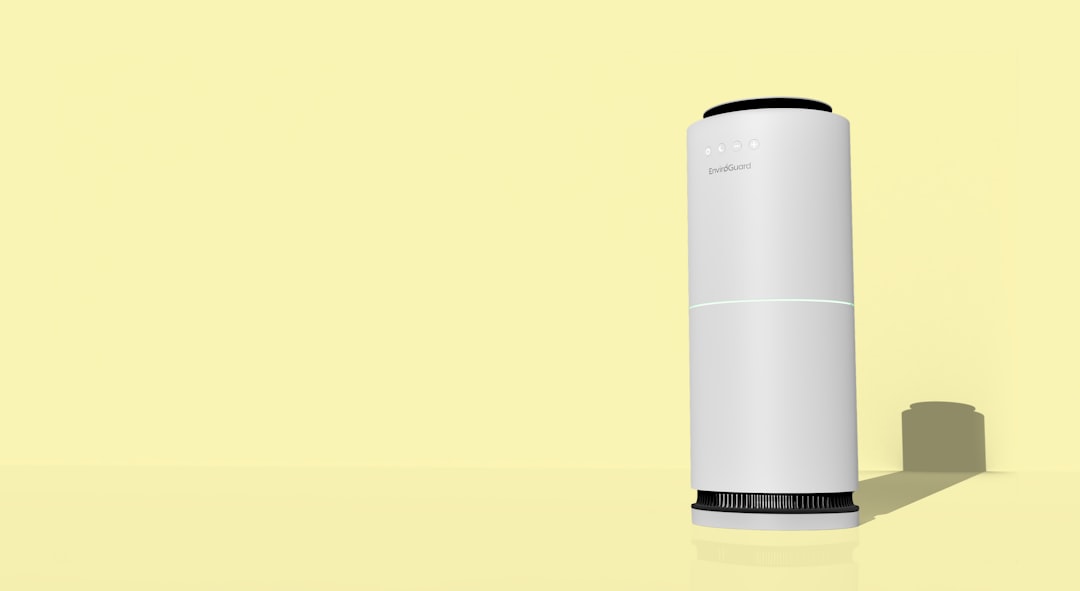
The fix turned out to be simple: crack a window or door periodically. Even just opening my office door for ten minutes every hour dropped CO₂ back to baseline. A small desk fan helped circulate air faster. On really stagnant days, I upgraded to a small HEPA air purifier with a carbon filter, which helped both with particulate matter and VOCs. The combination brought my midday CO₂ down to the 800-900 ppm range — well within the cognitive sweet spot.
The difference in how I feel is hard to overstate. That afternoon slump I’d accepted as normal? Gone. I can work straight through from 9 AM to 5 PM now without that wall hitting around 2:30. My focus is better. I make faster decisions. Writing flows more easily. It’s not a magic bullet, but it’s the single most impactful productivity upgrade I’ve made to my workspace in years — and this is from someone who’s tested hundreds of gadgets.
How to Actually Use This Data
Buying a monitor is step one. Knowing what to do with the information is step two. Here’s what I’ve learned about actually using air quality data to improve your workday:
First, establish your baseline. Let the monitor run for a few days without changing anything about your routine. You need to see what your normal patterns look like — when CO₂ spikes, how fast it climbs, what time of day is worst. That data is your control group. Without it, you won’t know whether your fixes are actually working.
Second, set actionable thresholds. Research suggests that CO₂ above 1,000 ppm starts impairing cognitive function. I set my personal alert at 1,000 ppm — when my monitor hits that level, I know it’s time to open a window or take a break. Some people prefer 800 ppm for an extra buffer. Whatever threshold you choose, make it a hard rule: when the number hits your limit, you stop working and fix the air. No exceptions.
Third, track your subjective performance alongside the objective data. I noticed within two weeks that my best writing days correlated almost perfectly with days when my CO₂ stayed below 1,000 ppm. That correlation isn’t causation, but it’s a pretty strong hint. If you’re someone who obsessively quantifies your productivity — word counts, deep work hours, whatever — overlay that data with your air quality readings. The patterns might surprise you.
Fourth, consider seasonal factors. Winter is worse for indoor air quality because windows stay closed and heating systems recirculate the same stale air. Summer can bring outdoor pollutants or wildfire smoke depending on where you live. Your air quality strategy needs to adapt to the season. In winter, I rely more on mechanical air exchange and occasional breaks in fresh air. In summer, I can keep windows open more but have to watch for outdoor PM2.5 spikes.
The Broader Lesson About Invisible Environmental Factors
Here’s the thing that really stuck with me after this experiment: we obsess over visible productivity factors — tools, software, furniture — while completely ignoring invisible ones that might matter more. Air quality is just one example. Lighting quality, background noise, even the color temperature of your walls all affect how your brain functions, often in ways you can’t consciously perceive.
Once I fixed my air quality, I started noticing other environmental factors I’d been tolerating without realizing it. The harsh overhead light that gave me headaches. The constant low-frequency hum from an old hard drive that was quietly adding to my cognitive load. The desk surface that was slightly too high, causing subtle shoulder tension I’d tuned out. Fixing my air opened my eyes to how much my environment was affecting my work in ways I couldn’t feel directly but could measure in output quality and stamina.
The lesson here isn’t just that you should buy an air quality monitor — though honestly, you probably should. The lesson is that your environment is silently shaping your productivity every day, and most of us are operating in spaces that are subtly working against us. The tools we use to work get all the attention, but the space we work in matters just as much. Sometimes more.
Is an Air Quality Monitor Worth It For You?
Let me be blunt: if you work from home in a small office with limited ventilation, especially in newer construction, an air quality monitor is one of the highest-ROI purchases you can make. The productivity gains from fixing elevated CO₂ alone pay for the device within weeks. But even if you’re not experiencing obvious brain fog, the data is fascinating and might reveal problems you didn’t know you had.
If you’re still on the fence, start with the budget pick. The Temtop M10+ costs less than a decent dinner out, and the information it provides will either change how you work or give you peace of mind that your air is fine. Either way, you win. If it reveals a problem, upgrade to the Aranet4 Home or Airthings Wave Plus for better accuracy and more features.
For more on building a workspace that actually supports deep work, check out my guide on future-proofing your home office. Air quality is one piece of the puzzle, but it’s the piece most people completely overlook. Your brain needs oxygen to work well. Obvious, right? But it took me three years of working in air-deprived spaces to actually do something about it. Don’t be like me. Fix your air before you realize you need to.
Your afternoon self will thank you.
