
Headphones have had a long run on this desk. Open-ear clips when someone might walk in. A sealed pair when the house gets loud. A wired set when a call cannot afford a Bluetooth hiccup. The people who test gear with me have been living in that rotation for months, and it works, right up until four o’clock, when the clamp comes off and the laptop is still playing something.
Laptop speakers were never a sound system. They are a courtesy speaker pointed at your chest. A single round puck in the corner is not a rescue either. It is mono, and it turns a playlist into elevator audio with a logo on it. If the headphones are coming off, the desk needs two speakers and a placement rule that fits an arm’s length.
Street prices move. The numbers below are the ones we checked in early and mid-October 2026. The shape of the decision will not.
Arm’s length is a cruel room
A living-room speaker is designed for a couch eight or ten feet away. A desk speaker is designed for a head that never leaves the chair. That distance is called nearfield, and it is less forgiving than people expect. Too close, and you hear the left tweeter and the right tweeter as two separate events instead of a scene. Too far apart, and the center of the mix, which is where voices and most of the music live, falls into the gap between the cabinets and dies on the monitor stand.
The working rule is an equilateral triangle. The speakers should be about as far from each other as each one is from your ears. Tweeters at ear height, not firing into the underside of a monitor. If the monitor blocks the tweeters, the speakers are in the wrong place even if the badge is right.
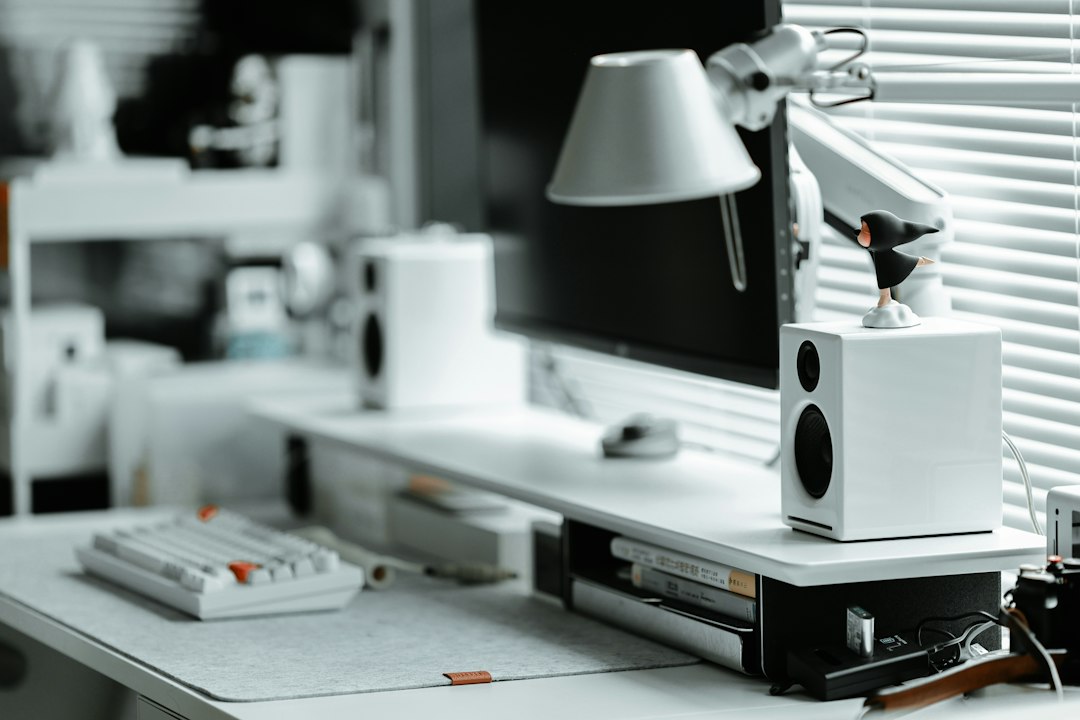
Aim the drivers at your head, not at the side walls. A wall behind the desk adds boom. A corner adds more. That is not a reason to buy a subwoofer for a four-foot desk. Pull the cabinets forward a hand’s width and stop treating the wall as a free amplifier.
A powered pair is not a receiver
Most of the boxes in this article are active. One cabinet holds the amplifier. The other is a passive partner connected by a short speaker lead that comes in the box. You feed one input. You do not need a separate amp, a stack of binding posts, or the silver Yamaha that has been earning its keep on a shelf since 2017.
That receiver is still the right tool if you already own passive speakers and you want a room, not a desk. I wrote that up when Yamaha finally shipped the R200A. The ten-year wait for that box is a different job from the one in front of a monitor. Do not buy a stereo receiver to solve a laptop. Do not buy desktop monitors to fill a living room. The floor-standing tower in the corner of a nice room is doing living-room work. It will not sit beside a keyboard, and it should not be asked to.
Spend a little to find out if you even like this
Some people discover, after a week, that they hate sound in the room. Roommates, kids, a partner on calls in the next room, a desk that faces a shared wall. Headphones were not a failure of taste. They were the correct tool. You can learn that for less than the price of a decent mouse.
The Creative Pebble line still starts under $25 for the basic USB pair. The one worth using as the test is the Pebble V3, which adds Bluetooth and a 3.5mm input so you are not married to one laptop port. It is small, it is powered from USB, and it will not embarrass a podcast. It will also not turn a record, a CD, or a well-made playlist into something you want to sit with. That is the point of the test. If the V3 makes the afternoon better and you stop reaching for the clamp, step up. If it mostly annoys the house, return it and stay with the open-ear pair that finally has a sane door price.
I would not start with a gaming set that lights up, and I would not start with a single smart speaker. The puck on an otherwise empty desk looks like a solution because the ads trained us to think a circle is a sound system. It is a convenience speaker. Stereo needs two of something.

The hundred-and-forty-dollar fork
Once you know you want speakers on, the useful argument is not “best of 2026.” It is which flavor of about $130 you actually live with. We checked Amazon on October 6. The Edifier R1280DB was $139.99. The Edifier MR4 was $128.99. Same neighborhood. Different job.
The R1280DB is the musical one. Wood cabinets, 4-inch drivers, 42 watts RMS, Bluetooth, an optical input, a remote, and a voicing that smiles a little. It is the pair I point people at when the desk also plays music after the laptop closes, and when a phone should be able to join without a dongle hunt. Optical matters more than the spec sheet admits. A laptop headphone jack is often noisy, hissy, or just rude when the volume slider is low. A digital input skips that jack entirely.
The MR4 is the flatter one. Studio-shaped, wired, less interested in flattering a pop mix. If you edit audio, if you are tired of consumer speakers that scoop the mids, or if Bluetooth is a feature you will never touch, this is the $129 that behaves. Reddit has been saying a version of that for years. Living with both confirms it. The R1280DB is the pair you put on for a Friday playlist. The MR4 is the pair you trust when a voiceover sounds wrong and you need to know whether the file is wrong or the speaker is lying.
There is a third Edifier in the current listings, the MR3, sold as a Bluetooth 5.4 studio pair with a Hi-Res badge on the title. I have not had it on the bench long enough to rank it against the MR4. If you want the MR4’s job and a phone in the chain, read that listing. The MR4 did not grow a radio. The MR3 is the sibling that did.
Nearfield monitors when the smile gets in the way
Edifier’s bookshelf pair is hi-fi in a small box. PreSonus is a studio company that happens to make a box small enough for a desk. The Eris 3.5 is the one that fits. Three-and-a-half-inch drivers, sold as a pair, a volume knob and a headphone jack on the front, an aux input for the days the computer is not the source. They are happiest when your ears are a couple of feet away. Pull them out to living-room distance and they give up. That is not a flaw. That is the design.
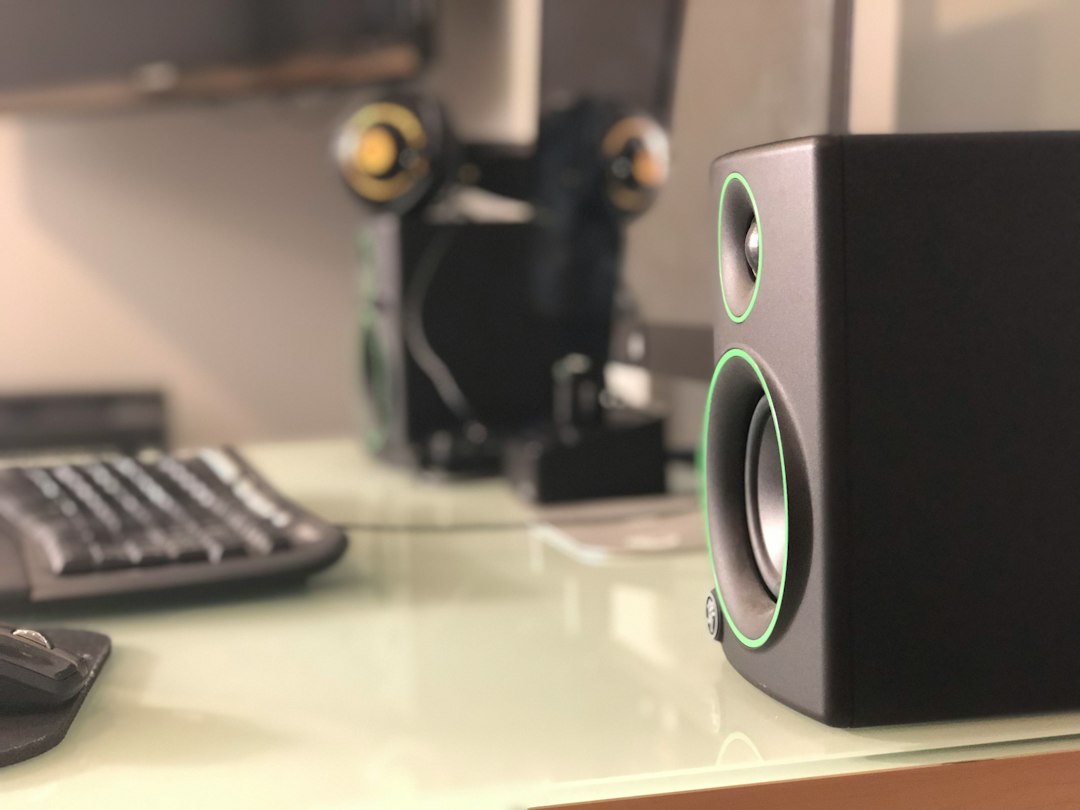
I would not pay Audioengine money for the Eris, and I would not expect the Eris to sound like a warmed-up consumer bookshelf. They usually live in the same price band as the MR4, not in the bracket above it. Front-panel headphone out is the underrated part. When a call starts, you do not hunt for a dongle. You plug in and the speakers go quiet. That one gesture is why a studio pair sometimes beats a prettier Bluetooth box for people who are on calls all afternoon and off them by five.
Placement still beats the badge. The Eris will tell you, unkindly, if one speaker is jammed against a wall and the other is in open air. That honesty is the feature. If you want the mix to smile at you, buy the R1280DB and stop apologizing for it. Liking music is allowed.
When the cabinet has to be small
Some desks cannot hold a 4-inch bookshelf on either side of the monitor. A laptop stand, a second screen, a notebook, a mug that has tenure. The jump in price here is real, and it is about cabinet size, not about a logo.
Audioengine’s A2+ was $269 on the maker’s site and about $299 on Amazon in the October 11 rankings we pulled. Read the title before you buy. The plain A2+ and the Wireless version are not the same box. If the listing says Wireless, that is the one with Bluetooth. If it does not, do not invent a radio that is not in the carton. What you are paying for, either way, is a small cabinet that does not sound like a small cabinet, and inputs that do not embarrass a laptop. The A2+ search is the right starting point. Sort by the actual model name, not by whichever sponsored tile is wearing the same typeface.
If the desk is shallow and your ears are picky, the other small box worth knowing is the iLoud Micro Monitor. IK Multimedia built these for people who mix in bad rooms and on the road. They are tiny, they are not cheap, and the measurement routine in the box is the reason a cabinet that size can sound placed instead of honky. I would not buy them to save money. I would buy them when a 4-inch bookshelf physically does not fit and you are done pretending a soundbar under the monitor is stereo. At two feet, a soundbar is one speaker with a wide face. The center image never shows up.
The deep desk exception
There is a pair I keep getting asked about, and I keep sending people away from it as a first buy. The Edifier S2000MKIII is a larger powered bookshelf, the kind of thing that looks correct in a photo and then consumes the desk. Typical street price over the last few months has sat near $700. It dipped to about $530 in October. That is a sale, not a starter kit.
Buy it if the desk is deep, you already know you want speakers on all day, and the $140 pair has started to sound small. If the tweeters are blocked by the monitor, a $600 pair will still sound like it is under the desk.
Stands, pads, and the cable that actually matters
The desk is a drum. A speaker sitting directly on it will pass bass into the tabletop, the keyboard will buzz on certain notes, and you will blame the speaker. A pair of desktop isolation pads is the cheapest fix that is not a myth. Foam or a small isolator, under each cabinet, so the box is not bolted to the furniture by gravity alone.
If the monitor is tall and the speakers are short, pads will not lift the tweeters to your ears. Desktop speaker stands will. They also let you set the width of that triangle without fighting the monitor’s feet. A speaker on a little table, drivers aimed at the chair, beats a prettier cabinet aimed at your sternum.

Then the cable. People spend $140 on speakers and feed them with the 3.5mm lead that came with a phone charger, or with nothing at all because Bluetooth was easier. Bluetooth is fine for a playlist. It is a compromise for anything you are trying to hear clearly, and it adds a little delay that you will notice the first time a video and a voice drift. A proper 3.5mm to dual RCA cable is a few dollars and it is the difference between “these speakers are muddy” and “the laptop jack was the problem.”
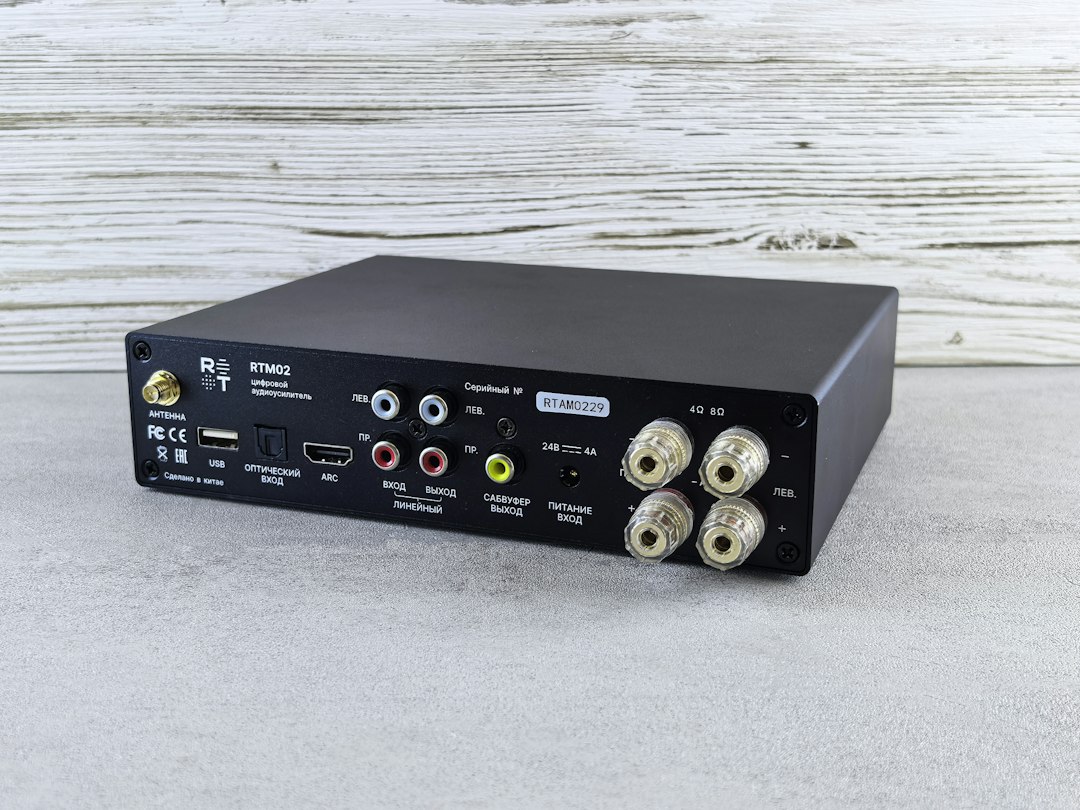
Look at the back of whatever you buy before you fall in love with the front. RCA, optical, USB, a headphone jack, a sub out you will probably never use. The R1280DB’s optical input is the clean way off a noisy laptop jack. The Eris wants an analog lead and does not pretend otherwise. Match the cable to the jack you actually have. A USB-C laptop with no headphone port needs a small DAC or a speaker with a digital or USB input. Do not solve that with a charging cable and hope.
Calls still belong in headphones
Speakers and video calls are a bad marriage if the microphone is the one in the laptop lid. The speakers play the other person’s voice, the laptop mic hears it, and everyone on the call gets a copy of themselves a tenth of a second later. Acoustic echo cancellation has improved. It has not become magic. If your day is calls, the speakers are for the hours between them.
Mics and cameras are a different shopping list. Start with the remote-work audio piece if the complaint is that you sound muffled, not that your music sounds small. Speakers do not replace headphones on calls. They cover the other half of the day.
One more source worth naming, because a lot of people on this site just bought discs again. A portable CD player into a laptop speaker is a sad way to celebrate owning your music. If the discs came back, a powered pair with an analog input is the desk-sized way to hear them without dragging a receiver onto the table.
What I would actually put on the desk
If you have never had speakers next to a monitor, buy the Pebble V3, live with it for a week, and be willing to send it back. The test is whether the room can tolerate sound, not whether the Pebble is the last pair you will own.
If the room can tolerate it and you want one purchase, buy the R1280DB. Bluetooth, optical, wood, a remote, and a price that was $140 at the start of this month. It is the pair that makes a Friday playlist feel like a decision instead of a compromise. If you edit, mix, or you are allergic to a smiled-at consumer tune, buy the MR4 or the Eris 3.5 instead and keep a headphone on the hook for calls.
If the desk is too shallow for those cabinets, spend the Audioengine money and read the Wireless line on the listing. If it is shallower than that and you care about placement, the iLoud is the small box with a measurement routine, not a toy that happens to be expensive. Leave the S2000MKIII for the second purchase, and leave the floor-stander in the living room where it belongs.
Tweeters at ear height. Cabinets as far apart as they are from your head. Pads under them. A real cable, not a charger. Headphones for the calls. Speakers for the rest. That is the whole system. It fits on a desk, it does not need a subscription, and it is the first upgrade in this office that makes four o’clock feel like the workday opened up instead of just getting quieter.
