
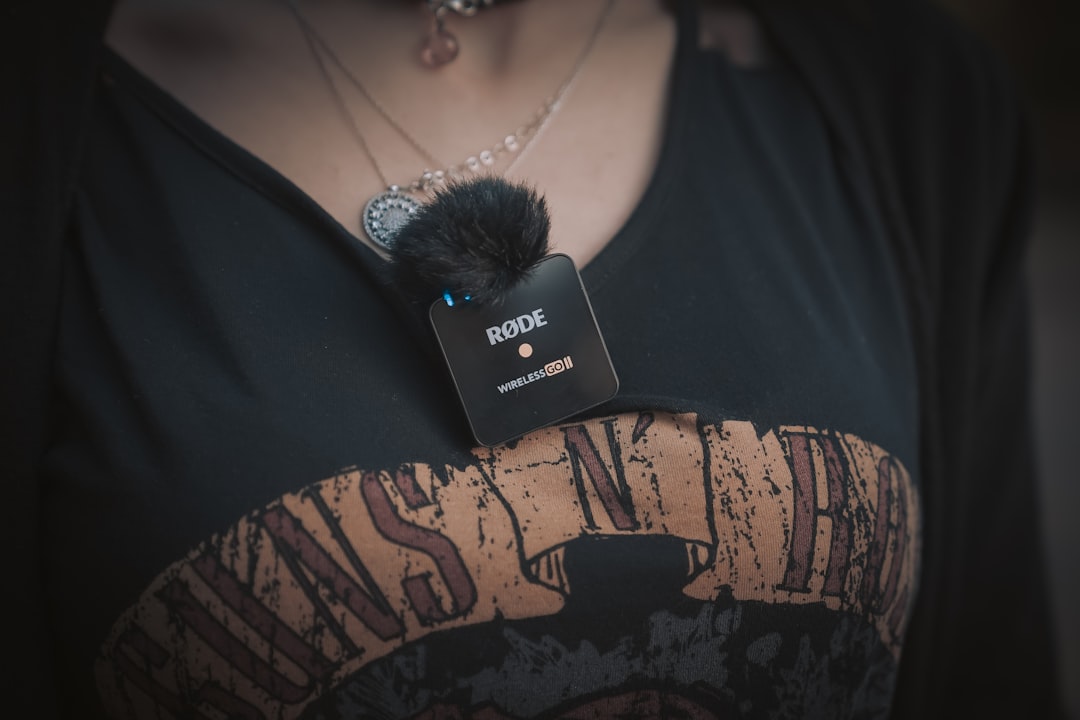
I’ve been recording video content for the better part of a decade, and if there’s one thing I’ve learned — sometimes painfully — it’s that your audience will forgive mediocre lighting, shaky footage, and even a less-than-perfect script. What they absolutely will not forgive is bad audio. Tinny, distant, or wind-blasted sound sends people clicking away faster than any visual flaw ever could. So when Insta360 — a company best known for 360-degree action cameras — announced they were putting a dedicated neural processing unit inside a wireless lavalier microphone, I was skeptical but curious enough to get my hands on one the day it shipped.
The Insta360 Mic Pro arrived at my door on launch day last month, and I’ve spent the better part of two weeks putting it through every miserable audio scenario I could conjure: a breezy rooftop interview, a bustling coffee shop, a warehouse with concrete walls and zero acoustic treatment, and my personal favorite — a park where someone decided to fire up a leaf blower mid-take. Here’s what the hardware actually delivers when you stop reading the spec sheet and start recording in the real world.
The NPU Difference: Real AI Noise Cancellation, Not Marketing Fluff
Let’s start with the headline feature, because it’s the one that matters most. Every wireless microphone on the market claims some form of noise reduction. The DJI Mic 3 uses DSP-based filtering. The excellent Rode Wireless PRO runs its own processing chain. They all apply fixed filter curves to cut specific frequency bands where noise tends to live. It works — until it doesn’t. Overlapping voices, variable wind, sudden impact noises, and HVAC systems cycling on and off all expose the limitations of a static filter trying to handle a dynamic world.
The Mic Pro takes a fundamentally different approach. Inside that puck-shaped transmitter is a dedicated NPU chip running a neural network model that continuously classifies your audio environment frame by frame. Instead of blindly cutting frequencies, it learns what’s speech and what’s not, then adapts the suppression in real time as conditions change. Insta360 offers two intensity levels: Weak for controlled environments where you want to preserve vocal warmth, and Strong for genuinely hostile soundscapes.
In practice, the difference is immediately noticeable. I recorded a conversation at a crowded café — the kind of place where the espresso machine hisses every forty seconds and the background chatter never drops below a murmur. With the DJI Mic 3 on the same setup, my voice came through but carried a noticeable processing artifact — that underwater, slightly hollow quality that aggressive DSP introduces. Switching to the Mic Pro in Strong mode produced a cleaner track where my voice sat forward and the ambient wash dropped to a manageable hum without that artificial edge. It’s not magic. You still hear that you’re in a room. But the voice intelligibility is demonstrably better, and the processing artifacts that plague traditional noise reduction are essentially gone.
The E-Ink Display: Not a Gimmick After All
I’ll be honest — when I first saw the renders of a color e-ink screen on a lavalier microphone, I rolled my eyes. It looked like a solution searching for a problem, a lifestyle feature borrowed from smartwatches that had no business on professional audio gear. Two weeks later, I’ve completely changed my mind, though not for the reasons Insta360’s marketing team probably expects.
The six-color e-ink display (black, white, red, yellow, blue, green) sits behind a 0.9mm Corning Glass panel with anti-glare coating. At a glance, it shows your gain level, battery percentage, active recording mode, noise cancellation intensity, and selected pickup pattern. That status information alone replaces the ritual of pulling out my phone to check levels or squinting at tiny LED indicators in bright sunlight. But the real value emerges when you’re managing multiple transmitters.
The Insta360 app lets you customize the display with a channel identifier, show logo, social media handle, or a speaker’s name. For a solo vlogger, that’s aesthetic. For a producer running four TX units across a multi-camera set — which the Mic Pro supports natively with up to 4TX plus 1RX — it’s the difference between grabbing the right mic at a glance and ruining a take because you handed the wrong transmitter to the wrong person. I tested it with two transmitters during an interview shoot, one labeled “HOST” and one labeled “GUEST,” and the visual identification was genuinely faster than checking serial numbers or colored cases.
The trade-off is refresh speed. E-ink is inherently sluggish compared to OLED, so the screen updates are perceptibly slow. This is a static information display, not a live waveform monitor. If you need real-time level visualization, you still want your camera’s audio meters or a dedicated monitor. But for at-a-glance status and identification, it works.
Four Pickup Patterns: One Transmitter, Multiple Personalities

The triple-microphone array inside the Mic Pro enables four switchable polar patterns, and this is where the hardware earns its “Pro” designation. Most lavalier mics are omnidirectional — they pick up everything around them equally. The Mic Pro gives you omni, cardioid, supercardioid (which Insta360 calls Voice Focus), and a figure-8 pattern, all selectable without swapping hardware or changing your physical setup.
The omni pattern is your standard lavalier behavior: 360-degree pickup that captures the wearer’s voice along with natural room ambiance. It’s what you want for controlled interview spaces, group conversations, or any setting where you actually want environmental context in your audio.
Cardioid mode creates a heart-shaped pickup pattern focused on the wearer’s forward-facing direction, rejecting sound from behind. I used this for a piece-to-camera segment in my office, and it cleanly reduced the keyboard clatter coming from behind me without requiring me to reposition anything.
The Voice Focus (supercardioid) pattern narrows the pickup lobe even further, zeroing in on the speaker and rejecting almost everything else. This is your go-to for trade show floors, outdoor events, or any environment where the ambient noise is aggressive and unpredictable.
But the figure-8 pattern is the one that made me sit up and pay attention. It captures sound from the front and rear of the transmitter while rejecting the sides. The practical application? A single transmitter can record both participants in a face-to-face interview — the interviewer’s voice hits the rear lobe, the interviewee’s voice hits the front lobe, and room noise from the sides gets suppressed. For documentary work or run-and-gun shooting where you don’t have time to rig a second lav on your subject, this is a legitimately useful trick that no other consumer wireless mic system offers in quite this way.
32-Bit Float Recording: Your Safety Net Against Bad Gain
If you’ve ever recorded an interview where your subject suddenly gets excited and their voice spikes into clipping territory, you know the particular horror of discovering distortion in post-production. 32-bit float recording is the technical answer to that problem, and the Mic Pro handles it internally as a continuous backup whenever the transmitter is active.
The theoretical dynamic range of 32-bit float audio is 168 decibels, compared to the 96dB ceiling of standard 16-bit recording. In human terms, that means the internal backup captures everything from a whisper to a door slam without clipping. If your wireless output to the camera distorts during a loud moment, the backup file on the transmitter itself remains clean and recoverable.
The 32GB of internal flash storage holds approximately 60 hours of continuous 32-bit float recording. For context, the DJI Mic 3 offers 8GB — roughly 14 hours. If you’re doing multi-day fieldwork, event coverage, or expedition filmmaking where you can’t offload files between sessions, that storage gap is significant. I filled about 12 hours over my two-week test period without thinking about it, and the transmitter never felt warm or indicated any storage anxiety.
Range and Battery: Numbers That Hold Up Outside the Lab

Insta360 claims 400 meters of line-of-sight transmission range. In the real world — meaning a suburban park with trees, buildings, and the usual 2.4GHz interference from every smartphone within a quarter mile — I comfortably maintained a clean signal at about 200 meters before dropouts started. That’s still exceptional for a consumer wireless system, and it matches or exceeds what I’ve measured with competing systems from Rode and DJI in similar conditions.
Battery life is where the Mic Pro quietly outperforms expectations. The transmitter alone runs roughly 9 hours on a charge. With the charging case (which provides additional power tops-ups), you’re looking at up to 30 hours total across a multi-day shoot. I charged the case once at the start of my test period, used the system intermittently for two weeks, and never saw the case battery dip below 40%. Compare that to the DJI Mic 3’s 28-hour total with case — a marginal difference on paper, but one that matters on extended trips where charging opportunities are scarce.
How It Stacks Up Against the Competition
The wireless microphone market in 2026 has three serious contenders at the top, and choosing between them depends heavily on what you’re actually doing with your gear. The DJI Mic 3 remains the safest all-around choice — ultralight, competent in most scenarios, and backed by DJI’s software ecosystem. Its adaptive gain control and dual-band anti-interference are excellent for general vlogging and run-and-gun content where you’re not fighting extreme noise.
The Rode Wireless PRO still wins on raw recording quality in controlled environments, with timecode sync that makes it the natural choice for professional filmmaking workflows. If you’re working on narrative projects, commercial shoots, or anything where audio post-production is a serious discipline, Rode’s ecosystem and XLR-friendly accessories keep it relevant.
The Insta360 Mic Pro carves out a distinct niche. The NPU noise cancellation is measurably superior in hostile acoustic environments. The four pickup patterns — particularly that figure-8 mode — offer shooting flexibility no competitor matches at this price point. And the 32GB internal storage provides a safety net that’s four times deeper than the closest alternative. It’s also worth noting that if you’re already in the Insta360 camera ecosystem — the X5, X4 Air, Ace Pro 2, or GO Ultra — the Mic Pro connects directly without needing the receiver unit at all, which is an elegant workflow advantage for solo shooters who already have an Insta360 camera.
For budget-conscious creators who don’t need the Pro’s advanced features, the BOYA mini 2 offers basic AI noise cancellation and a charging case at roughly a third of the price. It won’t match the Mic Pro’s audio fidelity or pickup pattern flexibility, but for casual vlogging and social media content, it’s a reasonable entry point.
Who Should Actually Buy This
After two weeks of real-world testing, the Insta360 Mic Pro’s value proposition is clearest for three types of creator. First, anyone who regularly records in unpredictable acoustic environments — outdoor interviewers, event coverage teams, documentary shooters. The NPU noise cancellation is the real deal, and it solves a problem that DSP-based systems have been nibbling at for years without fully cracking.
Second, multi-speaker production setups. The ability to run four transmitters through a single receiver, combined with the e-ink identification system, makes the Mic Pro genuinely useful for panel discussions, conference coverage, and any scenario where managing multiple audio sources has traditionally required a mixer and a dedicated audio operator. I’ve written about what I pack as a solo creator, and the Mic Pro has earned a permanent slot in that kit.
Third, existing Insta360 camera users. The direct-connect integration eliminates the receiver entirely when paired with compatible cameras, creating a cleaner rig with fewer cables and fewer points of failure. If you’re already shooting on an Insta360 X5, the Mic Pro is the obvious audio upgrade.
The Verdict After Two Weeks
The Insta360 Mic Pro is not a perfect product. The transmitter is larger and heavier than the DJI Mic 3, which matters more than you might think when it’s clipped to a thin shirt for a six-hour shoot. The case doesn’t accommodate all accessories cleanly, which is a minor but real organizational frustration. And the e-ink display’s slow refresh rate means it can’t serve as a real-time level monitor, despite how tempting that use case looks on paper.
But the core question — does this microphone deliver materially better audio in challenging real-world conditions than the competition? — has a clear answer. The NPU-powered noise cancellation represents a genuine step forward, not an incremental tweak. The pickup pattern flexibility solves problems that previously required multiple hardware purchases. And the 32-bit float safety recording with 60 hours of internal storage provides a level of confidence that lets you focus on the conversation instead of worrying about your gain staging.
If you’re serious about content audio and you’ve been waiting for wireless mic technology to take a meaningful leap forward rather than another minor revision, this is the one that justifies the upgrade. I came in skeptical, and I’m leaving convinced. That doesn’t happen often — but when a neural chip in a lavalier actually outperforms the DSP systems it’s replacing, it’s worth paying attention to. For more on building out your content creation setup, check out my guide to the best USB microphones for podcasting and remote work or my deep dive on AI hardware for creative professionals.
