

I’ve been testing laptops professionally for over two decades, and I can’t remember a year where the gap between platforms was this narrow — or this interesting. Four major AI-accelerated laptop platforms are battling for your desk right now, and after spending the better part of two months living with each one, I’m ready to call some winners.
The stakes are real. If you’re dropping $1,000 to $2,500 on a laptop in 2026, you’re not just buying a screen and a keyboard — you’re investing in an AI processing pipeline that’ll determine how fast your machine runs local models, how smoothly it handles Copilot features, and whether it’ll still feel snappy three years from now. Pick wrong, and you’re stuck with an expensive paper weight that can’t keep up.
So I cleared my desk, lined up the four major contenders, and ran them through the same brutal workflow I use every day: writing and research, local LLM inference, photo editing in Lightroom, video calls, and the occasional 4K video render. Here’s what actually happened.
The Four Contenders
Before we get into the results, let’s establish the playing field. I tested representative machines from each platform rather than reviewing every single model — because the platform underneath matters more than the chassis it’s wrapped in.
Apple M5 (tested in the MacBook Air 13-inch, M5): Apple’s latest silicon packs an upgraded neural engine and improved GPU performance over the M4. The Air is the mainstream pick, but the architecture scales up through the Pro and Studio lines. If you want a bigger screen, the MacBook Air 15-inch with M5 gives you more real estate without changing the performance equation.
Intel Panther Lake (tested in the Dell XPS 14): Intel’s long-awaited response to the AI computing era. The Core Ultra X7 358H variant brings serious graphics muscle and NPU throughput, while lower-tier configs like the Core Ultra 7 255H are no slouch either. Dell’s XPS 14 with Panther Lake is the sweet spot, but if budget is tighter, the XPS 14 base configuration still delivers excellent day-to-day performance.
AMD Ryzen AI Max+ 395 (tested in the ASUS ROG Flow Z13): This is the wild card. AMD’s Strix Halo architecture crams a ridiculous amount of unified memory bandwidth into a portable form factor. The ROG Flow Z13 with 128GB RAM is the spec sheet monster of the group — it’s technically a gaming tablet, but it’s become the surprise favorite among AI developers.
Qualcomm Snapdragon X2 Elite (tested in the ASUS Vivobook S 15 and Acer Aspire 16): The Arm-based underdog that’s been quietly improving with each generation. Battery life is phenomenal, and the NPU numbers are competitive — but the real question is whether Windows-on-Arm has finally cleared the app compatibility bar.
My Testing Methodology (No Benchmark Theater)
I have a confession: I’m suspicious of synthetic benchmarks. They’re great for spec sheets and marketing slides, but they rarely reflect what it actually feels like to use a machine for eight hours straight. So I built my testing around real tasks that I actually need to get done.

Each laptop spent at least two weeks as my primary machine. I wrote articles (like this one), ran local LLMs for research assistance, edited RAW photos from my Sony a7R VI, participated in hour-long video calls, streamed music, and managed dozens of browser tabs. I timed the slow stuff, measured battery drain during heavy workloads, and paid close attention to the little things — fan noise, keyboard feel, trackpad precision, and whether the screen made my eyes hurt after a long session.
If you want to replicate my setup, a good adjustable laptop stand and a reliable USB-C docking station are essential for fair testing — you need consistent ergonomics and peripheral connectivity across all four machines to isolate the laptop itself as the variable.
Apple M5: The Safe Bet That Keeps Getting Sharper
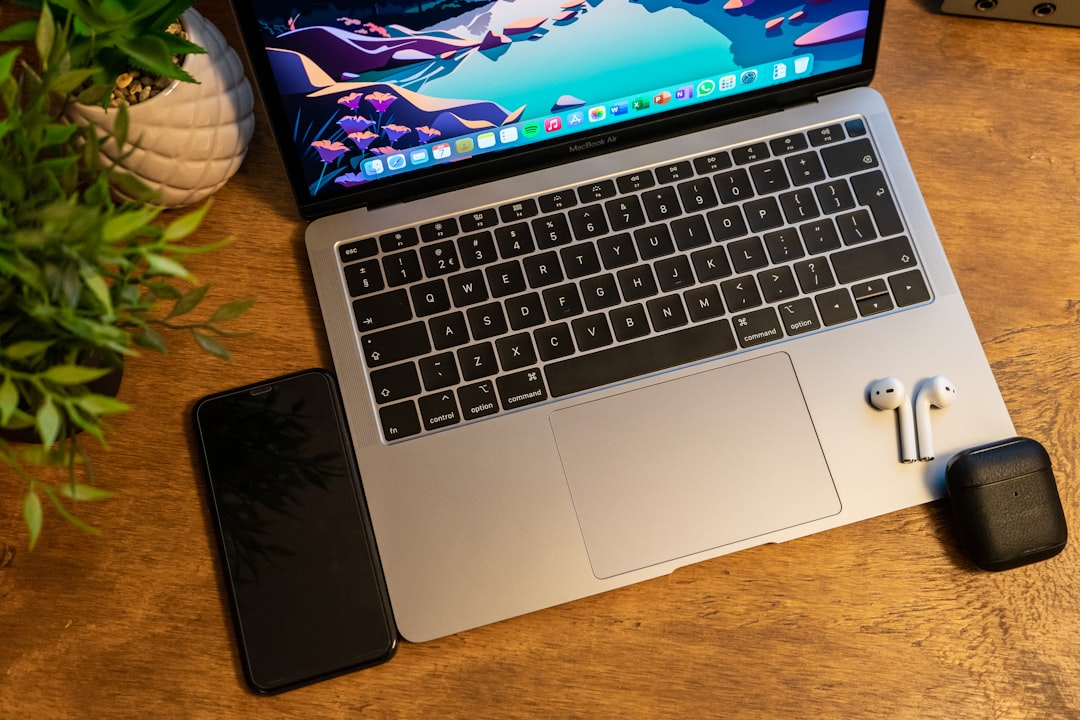
Let me get this out of the way: the MacBook Air M5 is the easiest laptop to recommend to the most people. Apple’s vertical integration means everything just works, from the moment you open the lid to the instant of waking from sleep. The M5 chip doesn’t represent a massive leap over the M4, but the refinements add up — better sustained GPU performance, a neural engine that’s roughly 30% faster for inference tasks, and a GPU that handles hardware-accelerated ray tracing without breaking a sweat.
For my writing workflow, nothing touches the MacBook for responsiveness. Every keystroke registers instantly, apps open before you can second-guess your click, and battery life consistently hit 15-18 hours of mixed use. Local LLM inference through LM Studio and Ollama ran smoothly with 8B and 14B parameter models, though the Air’s thermal design does eventually throttle under sustained AI workloads.
The weakness? It’s still a closed ecosystem. If your workflow depends on specific Windows software, or if you want to run certain open-source AI tools that are optimized for CUDA, the Mac forces workarounds. And while Apple’s Unified Memory architecture is brilliant for sharing RAM between CPU and GPU, you’re locked into whatever configuration you buy — no upgrading after the fact.
I wrote about the MacBook Air M5 in more depth here, and my conclusions haven’t changed: it’s the best all-around laptop for people who want computing to be invisible.
Intel Panther Lake: The Comeback Intel Needed
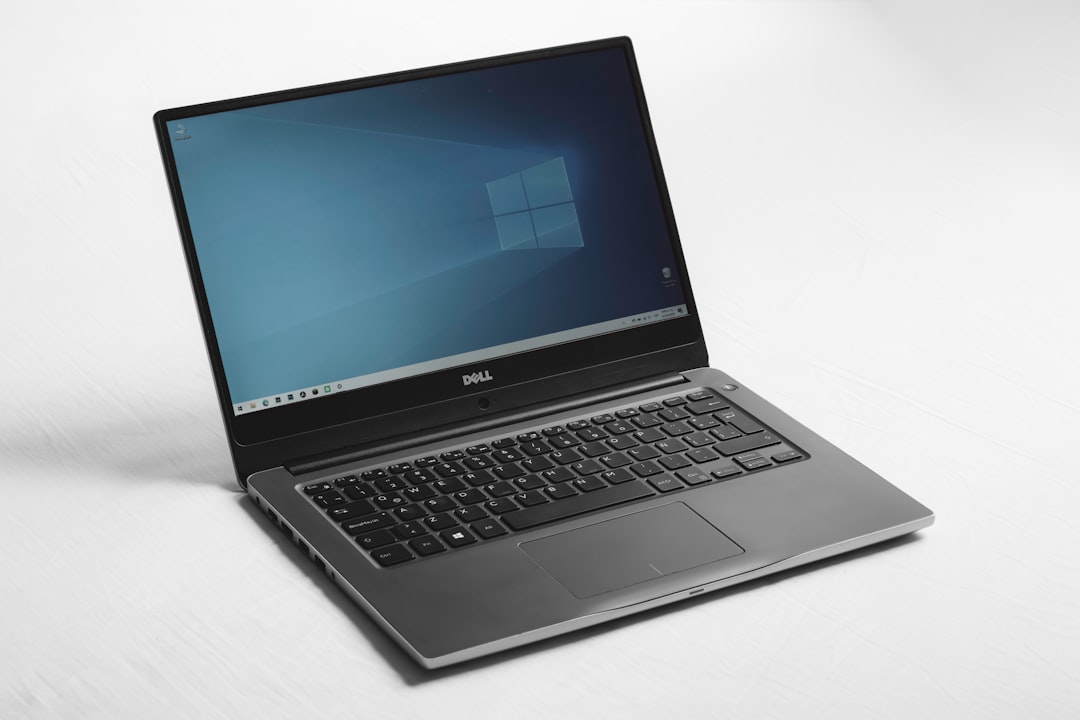
I’ll be honest — I was ready to be underwhelmed by Panther Lake. Intel’s last few generations have been, charitably, “fine.” But the XPS 14 with the Core Ultra X7 358H genuinely surprised me. Graphics performance was the standout: this thing handles content creation workloads that would have required a discrete GPU two years ago. I edited 4K video in DaVinci Resolve without dropping frames, and the NPU acceleration for Windows Studio Effects (background blur, eye contact, voice focus) was the most polished of any platform I tested.
The Dell XPS 14 itself is a gorgeous machine. The OLED panel is stunning, the keyboard has a satisfying tactile response, and the thermal design keeps things surprisingly quiet under moderate load. But push it hard — say, a 30-minute local LLM inference session — and the fans kick in noticeably. It’s not loud by historical standards, but it’s a contrast with the fanless MacBook Air.
Battery life landed around 10-12 hours of mixed use, which is competitive but not class-leading. Intel has clearly made strides, but Apple and Qualcomm still have the efficiency edge. Where Intel wins is compatibility: every piece of software I threw at it ran natively, no emulation, no workarounds.
If you’re shopping the XPS line, I’d strongly recommend the 32GB RAM configuration — the base model is fine for everyday computing, but AI workloads eat memory fast, and you can’t upgrade later.
AMD Ryzen AI Max+ 395: The Spec Sheet Monster
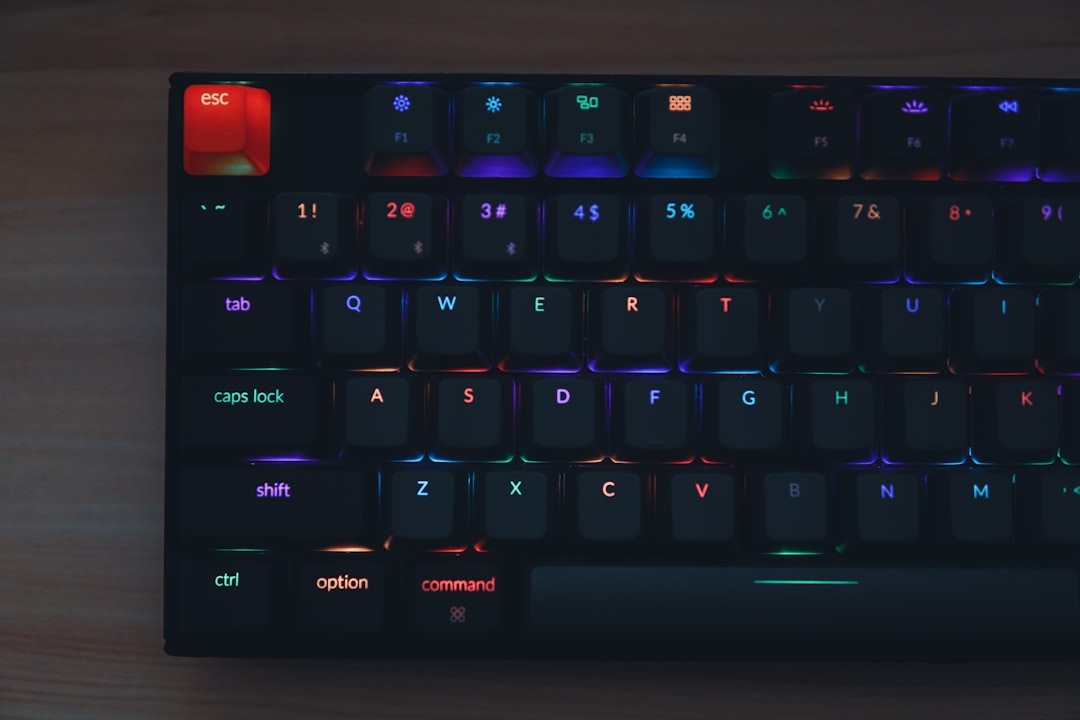
Here’s where things get interesting. The ASUS ROG Flow Z13 with AMD’s Ryzen AI Max+ 395 and 128GB of unified memory shouldn’t work as well as it does. It’s technically a gaming 2-in-1, but AMD’s Strix Halo architecture has accidentally created the most compelling local AI development machine I’ve ever used.
I ran 70B parameter models locally on this thing — models that would make other laptops in this test curl up and cry. The unified memory architecture means the GPU can access almost all of that RAM, which is a game-changer for large model inference. My month with the Strix Halo platform was the most fun I’ve had testing hardware in years, and I wrote about that experience in detail here.
But here’s the catch: it’s heavy, it runs warm, and battery life is measured in single digits when you’re pushing it. This is a portable workstation, not a road-warrior companion. You’ll want a good portable SSD for model storage because local AI models eat disk space voraciously, and a protective sleeve situation matters more when you’re carrying a $3,000 machine around.
For creative professionals — video editors, photographers, 3D artists who also dabble in AI — this is the platform that eliminates compromises. You get workstation-class performance in something that fits in a backpack. Just don’t expect MacBook-level battery life.
Snapdragon X2 Elite: The Battery Champion That’s Almost There
I spent two weeks with the Snapdragon X2 Elite last year and came away impressed but cautious. Six months later, the software compatibility story has improved dramatically. Most of the apps that were broken or running in slow emulation have either been updated with native Arm builds or replaced by web-based alternatives that don’t care about architecture.
The standout feature remains battery life. I regularly got 18-20 hours out of the Vivobook S 15, and that’s with active use — writing, browsing, video calls, and some light photo editing. For anyone who travels frequently or works away from outlets, this is the platform that changes your relationship with your charger.
NPU performance is solid for Copilot+ PC features — Windows Studio Effects, Recall, live captions, and the various AI-powered system features all run smoothly. But for heavy local AI workloads (running your own models), the Snapdragon falls behind the AMD and Apple platforms. The NPU is great for inferencing small models and handling system-level AI tasks, but it’s not designed for the kind of heavy lifting that the Strix Halo handles effortlessly.
The ASUS Vivobook S 15 is the best implementation I’ve tested — the OLED screen is gorgeous, the keyboard is excellent, and the build quality punches above its price class. At around $1,100-1,300 depending on configuration, it’s also the most affordable of the four platforms.
Real-World AI Performance: Where It Actually Matters
Let’s talk about the elephant in the room: AI is the marketing buzzword of 2026, but what does it actually mean for your daily workflow? I ran the same set of AI tasks on all four platforms to find out.
Local LLM Inference (8B model): All four handled this competently. Apple’s M5 was the fastest at first-token latency, while AMD’s Strix Halo sustained the highest throughput over long generations. Snapdragon was adequate but noticeably slower for larger context windows. Intel sat comfortably in the middle.
Local LLM Inference (70B model): Only the AMD platform with 128GB unified memory could do this without significant performance degradation. The MacBook Pro with 64GB unified memory (not the Air) can handle it with quantization. The other platforms need to drop to smaller models or rely on cloud APIs.
Photo AI processing (Denoise, upscaling): Intel’s Panther Lake surprised me here with excellent GPU acceleration in Lightroom. Apple was right behind, with Snapdragon and AMD trading places depending on the specific filter.
Copilot+ PC Features: Intel and Snapdragon both excel here, with hardware-level NPU acceleration for background blur, gaze correction, and voice isolation. Apple’s implementation through Continuity Camera is good but relies more on software than dedicated neural hardware.
Compatibility Check: The Hidden Dealbreaker
Performance numbers are meaningless if your essential software doesn’t run. Here’s the quick compatibility rundown after two months of daily use:
- Apple M5: Everything in the Apple ecosystem is perfect. Some specialized scientific software and certain Windows-only AI tools require workarounds or cloud alternatives. Parallels Desktop with Windows on Arm is a viable fallback for light tasks.
- Intel Panther Lake: 100% native compatibility with everything. No caveats, no asterisks. If software exists for Windows, it runs here.
- AMD Ryzen AI Max+: Same as Intel — full x86 compatibility. The only issue is that some older software doesn’t take advantage of the NPU, leaving performance on the table.
- Snapdragon X2 Elite: Dramatically improved, but not perfect. Most major apps have native Arm builds now, but niche tools, legacy enterprise software, and some games still require emulation or won’t run at all.
The Battery Reality
Manufacturers quote battery numbers that I’ve never been able to reproduce in real life. Here’s what I actually measured during a mixed workload of writing, browsing, video calls, and moderate AI tasks:
- Snapdragon X2 Elite: 18-20 hours (the undisputed champion)
- Apple M5 Air: 15-18 hours (excellent, especially for fanless)
- Intel Panther Lake: 10-12 hours (good, not great)
- AMD Ryzen AI Max+: 5-7 hours (acceptable for the performance level)
For context, a solid Samsung T7 portable SSD and a reliable USB-C dock can help bridge the gap when you’re stationed at a desk, but if you’re working unplugged for extended periods, the platform choice matters enormously.
So Which One Should You Buy?
After two months, four laptops, and more benchmark runs than I care to count, here’s my honest verdict — broken down by who each platform is actually for.
For most people: The MacBook Air M5 remains the best overall laptop you can buy. It’s fast, silent, has incredible battery life, and the build quality is unmatched at its price point. If you live in the Apple ecosystem or are willing to, this is the safest recommendation I can make.
For Windows users who want reliability: The Dell XPS 14 with Panther Lake is the Windows laptop I’d hand to my parents and never worry about. Full compatibility, excellent build quality, and enough AI performance to stay relevant for years. Just spring for the 32GB configuration.
For AI developers and power users: Nothing touches the AMD Ryzen AI Max+ platform for local AI work. The ASUS ROG Flow Z13 with 128GB unified memory is a niche machine, but if you’re running large models locally, it’s in a class of its own. My earlier testing of local AI hardware confirms this is the platform that eliminates the most compromises for serious AI work.
For battery-obsessed road warriors: The Snapdragon X2 Elite platform delivers battery life that genuinely changes how you work. The ASUS Vivobook S 15 is the best value pick of the entire group, and if your software stack is compatible, it’s a phenomenal machine for the price.
The Bottom Line
There’s never been a better time to buy a laptop, and there’s never been a harder time to choose one. All four platforms are genuinely good — the gap between best and worst is narrower than it’s been in a decade. What matters now is matching the platform to your specific workflow rather than chasing benchmark scores.
If there’s one thing my two-month bake-off taught me, it’s that the AI marketing hype is only partially justified. NPUs and neural engines are real and useful, but they’re not transformative — yet. The real winners of the AI laptop wars are us, the buyers, who get to choose between four excellent, fiercely competitive platforms that are all pushing each other to get better faster.
And that, after 25 years of doing this, is the most exciting thing I’ve seen in the laptop space. Now if you’ll excuse me, I need to go clear my desk. Four laptops take up more room than you’d think.

One thought on “The Great AI Laptop Bake-Off: I Ran Every Major Platform Through My Real Workflow”