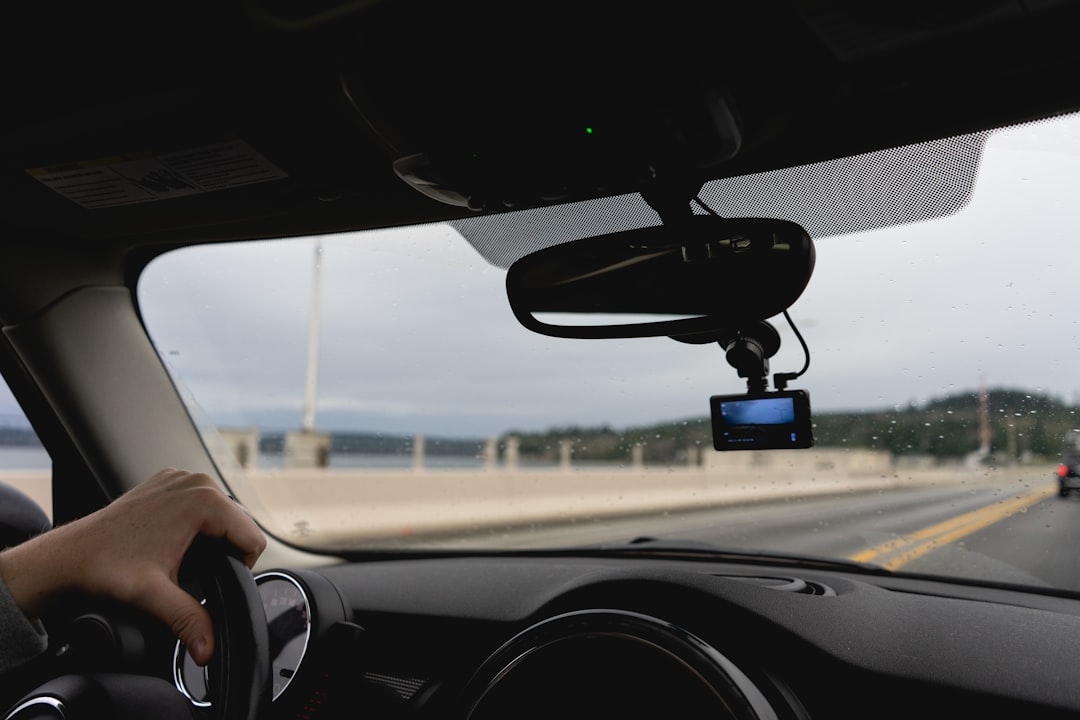
It took a hit-and-run in a grocery store parking lot to finally teach me a lesson I should have learned a decade ago: the truth doesn’t set you free — footage does. Somebody backed into my wife’s car with a pickup, left a crease the size of a forearm, and drove off like nothing happened. Three witnesses, zero license plates, and an insurance adjuster who politely explained that without evidence, the claim would land on us. That was the week I started mounting cameras in every vehicle we own.
Fast forward to this summer, and my team and I have now run six dash cams through daily commutes, road trips, Phoenix heat, and one genuinely terrifying merge on I-17. Some of these units earned permanent spots on our windshields. Others are back in their boxes, awaiting a fate I haven’t decided yet. Here’s everything that testing taught me about picking a camera that actually holds up when it matters — not just one that looks good in a listing.
The Question That Should Come Before Any Spec Sheet
Most dash cam reviews drown you in resolution charts and field-of-view diagrams before they answer the only question that matters: what does the camera do when you’re not around? If a camera only records while you’re driving, it’s protecting you against exactly the scenario where you’re present and able to defend yourself. The scenarios that destroy people financially — parking lot hits, vandalism, the phantom brake-check artist — all happen when the car is sitting alone.
True parking surveillance requires constant power, which means either a dedicated battery pack or a hardwire connection to your vehicle’s fuse box. That single requirement splits the entire market in half, and it should split your shortlist too. If you park on the street in a city, it’s non-negotiable. If you live in a garage-fed suburb, it drops from critical to nice-to-have. Decide this before you spend a dollar, because it determines whether a $250 camera behaves like a $250 camera or a very expensive windshield ornament.

The Workhorse: Viofo A229 Pro
If you want my shortest possible answer to “which dash cam should most people buy,” it’s the Viofo A229 Pro. The front unit shoots 4K HDR on Sony’s STARVIS 2 sensor, the rear camera holds its own at 2K, and the whole rig is built like Viofo actually expects it to live through a summer. We ran one through three consecutive 110-degree weeks without a single reboot, and the footage stayed clean enough to read dealer plates on a truck two lanes over.
What sold me was the mount. Most dash cams hang off a gooey adhesive pad that turns to soup in heat and slowly peels away at the worst moment. Viofo uses a spring-loaded clip that grabs the glass mechanically — it survived my team’s most aggressive “let’s see if we can knock it loose” testing, which involved a wash mitt and some regrettable enthusiasm. The A229 Pro isn’t the cheapest option here, but it’s the one I’d put in my mother’s car, which is the highest compliment I give hardware.
For those wanting a peek at where this category is heading, Viofo’s newer A329S swaps the microSD card for an SSD and pushes 4K at 60fps — genuinely next-generation stuff, though I’d let early adopters absorb the firmware growing pains first.
The Value Play: 70mai A810
The 70mai A810 closes roughly eighty percent of the gap between budget cams and flagship units at less than half the price. You get a 4K front camera with STARVIS 2 processing, a 1080p rear channel, GPS, and — the party trick — optional 4G LTE connectivity that lets you check on your car from your phone anywhere it has signal. During testing, I watched a delivery driver nearly clip our bumper from a coffee shop three miles away, which is a very specific kind of power.
The compromises are real but survivable. The app is where 70mai spent the least money, the voice control is enthusiastic to a fault, and the LTE feature adds an ongoing cost if you want remote access. But the core job — capturing plates, motion-triggered parking events, clean night footage — it does without embarrassing itself. For a first dash cam, this is where I’d point most people’s wallets.

The Ghost: Garmin Dash Cam 67W
Some people don’t want a camera; they want the idea of a camera, expressed as small as physics allows. That’s the Garmin Dash Cam 67W. It’s roughly the size of a car key fob, hides completely behind the rearview mirror, and shoots surprisingly crisp 1440p across a 180-degree field of view. Garmin even bundles a memory card so it works out of the box, which should embarrass every competitor that treats storage like an upsell.
The catch is the word I keep coming back to: it’s a single channel. No rear camera, no cabin view, and parking mode leans on Garmin’s battery-saving tricks rather than full-time surveillance. But for a teenager’s first car, a rental, or anyone who refuses to hang electronics in their sightline, the 67W is the camera people actually keep mounted instead of uninstalling after a month. The best dash cam is always the one you didn’t get annoyed at and remove.
The Connected Option: Nextbase 622GW
Nextbase builds cameras like they’re auditioning for a spy film. The 622GW shoots true 4K, stabilizes footage against engine vibration, packs Alexa, and includes what3words location tagging — genuinely useful if you ever need to direct emergency services to a precise roadside spot. Image quality lands between the 70mai and the Viofo, and the magnetic mount is the class of the industry for one-handed docking.
Where I hedge is the ecosystem. Nextbase’s smart features increasingly funnel toward subscription services, and I’ve spent enough of my career fighting subscription creep in security cameras to recognize the pattern when it pulls into the driveway. The 622GW is excellent as a standalone camera. Just go in knowing which features live behind a paywall before the receipt is a memory.
The Full Picture: Vantrue N4 Pro S
If you drive for a living — rideshare, delivery, shuttle work — you need three angles, not two. The Vantrue N4 Pro S records 4K up front plus interior and rear channels simultaneously, which turns every disputed passenger interaction and rear-end collision into a settled matter. The infrared cabin camera actually produces usable footage at night, which is rarer than it should be in this category.
Three channels demand more from your storage and your vehicle’s electrical system, and Vantrue’s mount is merely adequate compared to Viofo’s death-grip clip. But for professional drivers, the interior channel isn’t a luxury — it’s liability armor. One of my colleagues who drives weekends called it “the cheapest lawyer I’ll never have to hire,” and after reviewing his incident clips, I can’t argue.
The Card Nobody Thinks About Until It Fails
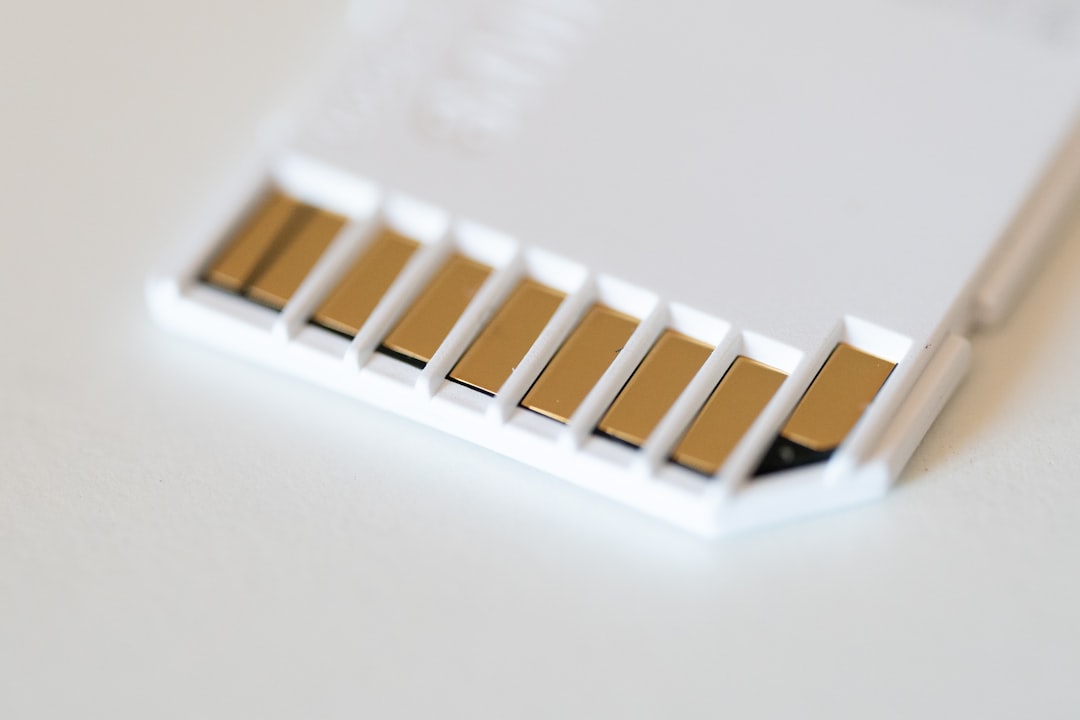
Here’s the failure mode that quietly ruins more dash cam owners than any camera defect: the memory card. A dash cam writes video continuously, all day, every day, rewriting the same storage cells tens of thousands of times a year. A standard microSD card built for occasional photo bursts will die inside six months in that environment — usually silently, usually right before you need the footage it was supposed to be keeping.
Endurance-rated cards exist precisely for this. The SanDisk 256GB High Endurance is my default pick for 4K dual-channel rigs, holding roughly two weeks of looped footage before overwriting, while the Samsung PRO Endurance 128GB is the proven budget option for single-camera setups. Budget twenty to forty dollars for this and treat it as part of the camera, not an accessory. I learned the hard way that the cheapest component in the chain is the one that takes everything down with it.
Hardwiring Without Setting Anything on Fire
Parking protection means constant power, and constant power means the fuse box. The Viofo HK4 hardwire kit includes fuse taps and built-in low-voltage cutoff, which monitors your car battery and shuts the camera down before parking surveillance strands you with a dead starter. Installation sounds intimidating and is genuinely a fifteen-minute job: pull one fuse, seat the tap, tuck the cable along the headliner and A-pillar trim. No cutting, no splicing, no electrical engineering degree.
If fuse boxes aren’t your thing, a growing number of cams support power banks designed for parking mode — and for that approach I’d point you at my earlier power bank shootout, since the wattage math is identical. Whichever route you choose, measure twice. The one installation mistake my team made during testing was routing a cable across an airbag cover, which is the sort of thing you want to discover on a bench, not during deployment.

Mount It Once, Mount It Right
Placement is the final exam everyone fails the first time. The camera belongs high and centered — tucked against the rearview mirror where it clears your wiper sweep and stays out of your sightline. If you’re already running accessories like the wireless CarPlay adapter I installed in my 2015 Honda, this is the same cable-routing discipline: along the headliner, down the A-pillar, under the dash trim. Angle it so the horizon sits in the lower third of the frame; too much sky and every plate at bumper height becomes an unreadable smudge. Before you peel any adhesive, sit in the driver’s seat and confirm you can’t see the lens without leaning. If you can see it, it’s in the wrong place.
And once it’s installed, do a test. Pull a clip, blow it up on a laptop, and try to read a plate at the distance where you’d realistically need to. If it’s mush at your desk, it’ll be mush in an adjuster’s inbox. The whole point of this exercise — the reason my wife’s next car got a camera before its first oil change — is that evidence only counts when it survives scrutiny. Spend one evening getting it right and the camera becomes what it should have been all along: the silent witness that never blinks.