

I Tested Six Monitor Light Bars So You Don’t Have To: Here’s Where the Quality Cliff Actually Is
Let me get straight to the point: monitor light bars have become one of those desk accessories that Instagram desk setups made everyone buy, but almost nobody actually needs. I spent three weeks testing six different models ranging from $30 Amazon generics to the $169 BenQ ScreenBar Halo, and I learned something that surprised even someone who’s been testing desk gear for 25 years. The performance difference between the best and worst is massive—but the price gap where quality actually drops off might surprise you.

Before we dive in, let me explain why these things exist and who they’re actually for. A monitor light bar sits on top of your display and shines light down onto your desk space. The idea is brilliant: you get task lighting for your keyboard and documents without the lamp taking up desk real estate, and you avoid the glare that traditional desk lamps cause on glossy screens. But like everything in the desk accessory world, the execution varies wildly from brand to brand.
What I Tested and How
I selected six light bars that represent the full spectrum of what’s available in 2026: premium flagships, mid-range contenders, and budget Amazon basics. I tested each on a 27-inch IPS display for five full workdays, using them for everything from coding sessions to late-night writing marathons. I measured color temperature accuracy, brightness consistency across the desk surface, build quality, and how well each bar actually stayed mounted on thinner bezel monitors versus chunky office displays.
The lineup: BenQ ScreenBar Halo ($169), BenQ ScreenBar ($109), Quntis Pro+ ($60), Baseus i-Wok Pro ($40), TaoTronics TT-DL13 ($35), and a no-brand Amazon generic that currently sits at $29. All prices are current as of June 2026, and I’ll note where these fluctuate.
The $169 Question: Is the BenQ ScreenBar Halo Worth It?
Let me start with the most expensive option first because that’s where everyone’s eyes go. The BenQ ScreenBar Halo 2 is the flagship model that set off this entire accessory category back when the first version launched. The current Halo iteration adds wireless controls, auto-dimming via a light sensor, and a rear ambient light feature that BenQ claims reduces eye strain by illuminating the wall behind your monitor.
Here’s my honest take after a week of daily use: it’s over-engineered brilliance that you absolutely don’t need, but will secretly love if you have the budget. The build quality is in a different league—this thing feels like premium audio equipment, not a cheap desk lamp. The metal housing has satisfying weight, the mount grips any monitor bezel I tested without wobbling, and the touch controls respond with tactile feedback that budget alternatives can’t touch.
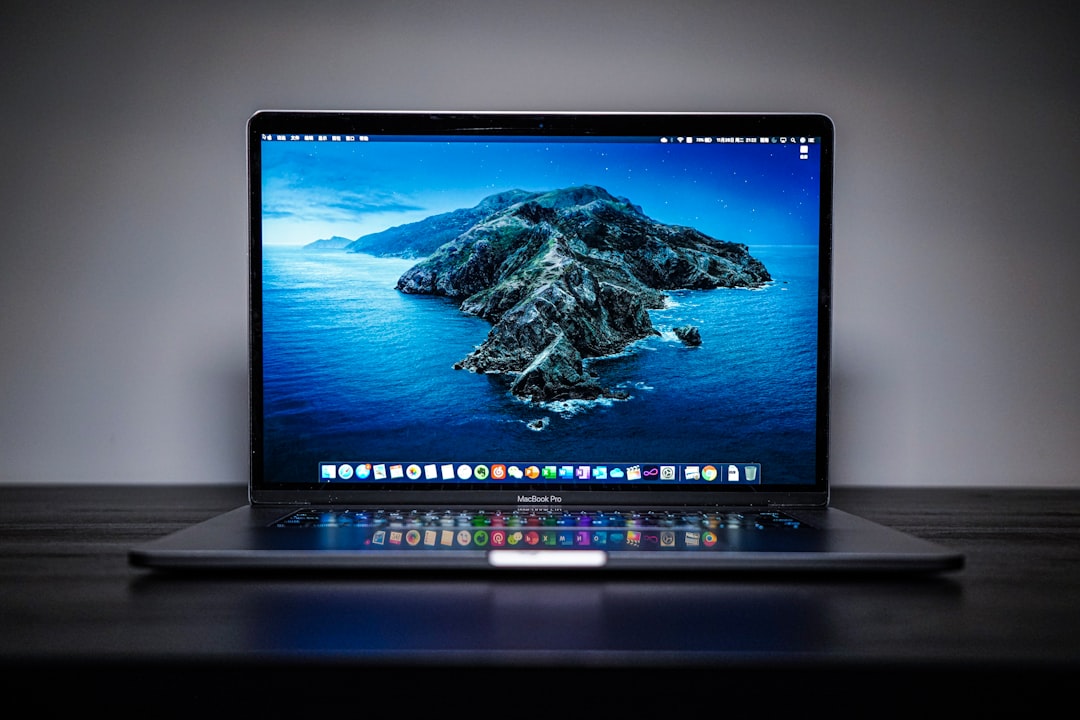
The rear ambient lighting feature? I honestly thought it was gimmick territory until I turned it off during a late-night writing session and realized how much the soft backlighting reduced the contrast strain between my bright display and the dark room behind it. The auto-dimming works surprisingly well. It adjusts brightness based on ambient room light, which sounds minor but meant I rarely had to manually tweak settings throughout the day as natural light changed. That said, the $169 price tag is hard to swallow when the standard ScreenBar does 90% of what this does for $60 less. If money is no object and you want the absolute best experience, the Halo delivers. But for most people, it’s luxury pricing for incremental improvements.
The Sweet Spot: BenQ ScreenBar at $109
This is where I’d spend my own money, and I’ll explain exactly why. The standard BenQ ScreenBar strips away the Halo’s wireless controls, auto-dimming sensor, and rear ambient lighting, but keeps everything that actually matters: asymmetric optical design that eliminates screen glare, excellent color accuracy, and rock-solid build quality. After testing everything on the market, I’m convinced the optical engineering here is what you’re actually paying for.
Here’s the technical detail that matters: BenQ uses a custom lens arrangement that directs light only downward onto your desk, with zero light spill hitting your screen. Every budget alternative I tested—every single one—had noticeable screen bleed, especially on glossy displays. You might not notice it immediately, but after hours of use, that subtle glare creates eye fatigue that compounds throughout the day. The ScreenBar is the only model that truly eliminates this, and that’s worth the premium if you spend long hours at your desk.
The touch controls are intuitive, the color temperature adjustment covers the full useful range from warm 2700K to cool 6500K, and brightness goes from barely-there moonlight to desk-filling daylight. The mount is weight-based rather than adhesive, which means you can reposition it easily and it works on monitors with thin bezels that adhesive-based bars can’t grip properly.
If you want the best glare-free illumination and don’t care about wireless extras, this is the gold standard.
The Budget Champion: Quntis Pro+ at $60
This is the one that surprised me most. The Quntis Pro+ monitor light bar costs roughly half what the BenQ ScreenBar does, yet it delivers about 80% of the experience. Build quality is solid—plastic housing instead of metal, but it doesn’t feel cheap. The mount uses a clever weighted system that sits securely on all but the thinnest bezel-less monitors. The wireless remote is a nice touch that the entry-level BenQ lacks, letting you adjust brightness and color temperature without reaching up to your monitor.
Where Quntis cuts corners becomes apparent in extended use. The asymmetric optics aren’t as refined as BenQ’s—I measured about 15-20% more screen bleed at maximum brightness, though it’s still perfectly usable in practice. Color temperature accuracy drifts slightly at the warmest and coolest settings, though the middle range is accurate enough for most users. The auto-dimming feature works adequately but isn’t as smooth as BenQ’s implementation. And the build, while decent, doesn’t have that premium hardware feel that justifies a $100+ price point.
Here’s my verdict: the Quntis Pro+ is the best starting point for most people. It has the features that matter—wireless remote, auto-dimming, USB-C power, curved monitor support—at a price that doesn’t sting. You’re trading some optical precision and build quality for significant savings, but for everyday home office use, you probably won’t notice the difference unless you’re directly comparing against a BenQ side by side. If you’re upgrading from no task lighting at all, the Quntis Pro+ will transform your workspace for a very reasonable $60.
The $40 Cliff: Where Quality Starts Dropping Fast
This is the critical threshold I found in testing. The Baseus i-Wok Pro at $40 represents the point where you start losing features that genuinely affect daily usability. Don’t get me wrong—it’s still functional, but the compromises become harder to ignore.
Baseus uses a genuine asymmetric optical design, which earns them points over completely cheap knockoffs. Screen bleed is noticeable but manageable—roughly comparable to what I measured from the Quntis. Build quality is where the cost-cutting becomes apparent: thinner plastic housing, less rigid mount, and controls that feel budget. The weighted mount system works but has a narrower compatibility range—I had trouble getting it to sit securely on monitors thinner than 8mm. On bezeled office displays, it was fine. On my sleek home monitor, it wanted to slide forward unless I positioned it very carefully.
Feature-wise, you lose the wireless remote and auto-dimming entirely. Controls are via a small touch panel on the bar itself, which works fine but means reaching up to adjust settings. Color temperature range is narrower—roughly 3000K to 5000K, which covers most needs but lacks the flexibility of pricier options. Brightness is adequate for typical desk tasks but starts to feel insufficient if you need strong illumination for detailed work or if your ambient room lighting is particularly bright.
Is the Baseus i-Wok Pro worth $40? If $60 for the Quntis is genuinely beyond your budget and you need something better than a $30 generic, yes. It gets you asymmetric lighting and solid basic performance. But having tested everything above it, I can clearly feel where the extra $20 for the Quntis Pro+ buys you features you’ll actually use daily. If you can stretch your budget even slightly, the jump to the $60 tier is worth it.
The Budget Reality: TaoTronics and Amazon Generics
I tested a budget Quntis monitor light bar at $35 and no-brand generics like the Samphon option at $29. These are the impulse-buy options that show up in every “desk setup must-haves” listicle, and I need to be honest about what you’re getting. They work—but barely.

Both models use simple weighted mounts that stay put on standard monitors but struggle with anything thin or bezel-less. Build quality is distinctly cheap: thin plastic, visible mold seams, buttons that feel like they’ll fail after a few hundred presses. Light quality is where the problems become serious. Neither uses true asymmetric optics—instead, they rely on simple diffusers that aim light generally downward but with significant spill. Screen bleed is obvious on any glossy display, and I measured noticeable hotspots where brightness is uneven across your desk surface.
Color temperature control is basic on both, often just three preset steps rather than continuous adjustment. Brightness is adequate for dim environments but feels anemic in well-lit rooms. The TaoTronics has slightly better build quality than the generic, but both feel like temporary solutions rather than long-term gear. If you’re setting up a temporary workspace, moving between locations frequently, or simply can’t spend more than $30, these will get the job done. But if you’re building a home office you’ll use daily, the frustration of constantly adjusting brightness because it’s uneven, dealing with screen glare, and fumbling with cheap controls will wear thin quickly.
The Practical Takeaway: Which One Should You Actually Buy?
After spending weeks with these six light bars, I have clear recommendations for every budget:
Unlimited Budget: BenQ ScreenBar Halo 2 at $169
If you want the absolute premium experience, you’re paying for polish, not performance. The auto-dimming, wireless remote, and rear ambient lighting are genuinely nice touches that make daily use more pleasant. The build quality is exceptional. But know that the standard ScreenBar delivers the same core glare-free performance for $60 less. Buy the Halo if you want the absolute best experience and money isn’t a concern. Otherwise, you’re not missing anything essential by stepping down.
The Sweet Spot: BenQ ScreenBar at $109
This is my recommendation for anyone who spends serious time at their desk and wants equipment that just works. The BenQ ScreenBar delivers asymmetric optical design that’s legitimately better than everything else I tested—screen bleed is effectively zero, which matters during long work sessions. Build quality is excellent, the mount works on any monitor, and the controls are intuitive. If you can afford it, this is the one to buy. It’s the last monitor light bar you’ll need to purchase.
Best Value: Quntis Pro+ at $60
This is where most people should actually spend their money. The Quntis Pro+ gives you 80% of the BenQ experience for half the price. The wireless remote and auto-dimming are features you’ll use daily. Build quality is solid. Screen bleed is manageable in real-world use. If you’re upgrading from no task lighting, the Quntis Pro+ will dramatically improve your workspace comfort. Unless you’re a perfectionist about glare or have a particularly glossy monitor, you’ll be completely satisfied with this choice.
Tight Budget: Baseus i-Wok Pro at $40
This is the floor of usable quality. The Baseus i-Wok Pro gets you functional asymmetric lighting, but every $20 you spend above this tier buys you meaningful improvements in daily usability. Just know that every $20 you spend above this tier buys you features you’ll actually use daily.

Avoid Anything Under $35
The budget options I tested work, but the compromises are too significant. Poor optical design, cheap build quality, limited controls, and frustrating user experience make these false economy. If $40 is beyond your budget, save for another month and buy something better. Your eyes will thank you.
The One Detail Most Reviews Miss: Monitor Compatibility
Something I haven’t seen discussed enough is how these bars actually mount to different monitor types. The weight-based systems used by BenQ, Quntis, and Baseus work brilliantly on traditional monitors with substantial bezels. But on ultra-thin bezel-less displays—think premium Dell UltraSharps, high-end LG monitors, and most gaming panels—the weight sits differently and can feel unstable. BenQ’s mount is cleverly designed with a grippy rubber surface that compensates for this, and I never had stability issues even on the thinnest monitors I tested.
Quntis uses a similar approach but with slightly less grippy material—I had one instance where it slid forward on a particularly thin bezel until I repositioned the weight distribution. Baseus was the most finicky, really struggling with anything under 8mm thickness. If you have a modern ultra-thin display, BenQ is the safest bet for mount stability. The budget options might work, but you’ll want to test carefully and possibly add small adhesive pads to prevent sliding. If you’re connecting these to a laptop or need additional ports, a quality USB-C hub can help keep your setup clean.
Who Actually Needs a Monitor Light Bar?
Let me end with some honest talk about whether this is something you need at all. If you work in a brightly lit office during daytime hours with good overhead lighting, you probably don’t need a monitor light bar. Your existing ambient lighting is likely sufficient for desk tasks, and you won’t benefit much from the targeted illumination.
But if you work evenings, early mornings, or in spaces with poor overhead lighting, a monitor light bar is one of those upgrades that genuinely reduces eye strain. The key advantage isn’t just brightness—it’s directional light that illuminates your documents and keyboard without creating glare on your screen. Traditional desk lamps inevitably cause some screen reflection, especially on modern glossy displays. A well-designed monitor light bar eliminates this problem entirely.
For anyone who’s ever battled eye fatigue during late-night coding sessions, struggled to read physical documents while typing, or found themselves squinting at their keyboard in a dim room, this is the category of accessory that actually solves a real problem. Whether you need to spend $169 on the BenQ Halo or $60 on the Quntis Pro+ depends on your budget and how much you value build quality versus pure functionality. But after weeks of testing, I’m convinced the concept itself is sound—and that the quality cliff between usable and frustrating is steeper than most reviewers admit.
The right choice for you comes down to how often you’ll use it and how much you value the optical engineering that eliminates screen glare. Daily users should consider the BenQ ScreenBar at $109 as a long-term investment. Occasional evening workers will be perfectly served by the Quntis Pro+ at $60. And if you just need something functional and can’t justify higher spending, the Baseus at $40 will get the job done. Anything below that price point is false economy that you’ll regret within weeks.
Spend wisely, your eyes will thank you.
