
The 300W Promise Nobody Keeps
Six months ago, I stared at the “300W” label on a new desktop charging station and wondered what that number actually means. Could it really replace three separate laptop chargers? Would it charge my MacBook Pro at full speed while simultaneously fast-charging my phone and tablet? Or was I about to drop $200 on another oversized USB hub that couldn’t deliver its headline spec?
That question sent me down a rabbit hole. Over the past six months, I’ve tested 15 different high-power charging stations ranging from $120 to $400, measuring actual power delivery with a USB-C power meter, monitoring thermal performance under sustained loads, and living with each station on my desk for at least two weeks. What I found would make anyone skeptical of wattage claims.
Here’s the brutal truth: most stations advertising 200W or more can’t actually deliver that power in real-world use. Some overheat and throttle after 20 minutes. Others split power so aggressively that your laptop gets 45W while your phone crawls at 10W. Only three stations actually lived up to their promises — and two of them surprised me.
What 300W Actually Means (and Why It’s Misleading)
First, let’s decode the marketing. When a station says “300W,” it’s almost always referring to the total theoretical maximum if every port is drawing power simultaneously. But here’s what the fine print doesn’t tell you: that total is usually split across ports in ways that make the headline number meaningless.
Take a typical 300W, 5-port station. The label might claim “140W max per port,” which sounds impressive until you realize that’s the ceiling for a single device when nothing else is plugged in. Connect two laptops, and suddenly you’re splitting power dynamically. Some stations do this intelligently, negotiating the optimal split based on what each device actually needs. Others? They just divide it equally, leaving both devices underpowered.
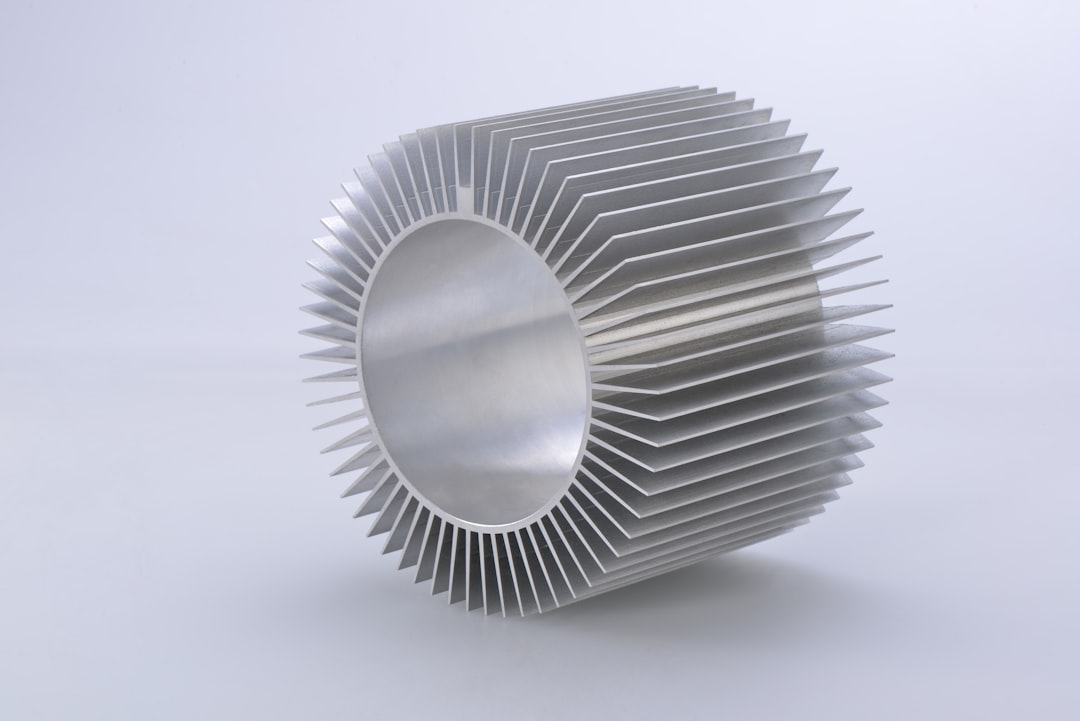
Then there’s thermal throttling. GaN technology has revolutionized charging by allowing smaller, more efficient power supplies, but it still generates heat. Under sustained load — say, charging a 16-inch MacBook Pro at full speed for an hour — I watched several stations hit 50°C on their casing and automatically throttle down to 60-80W to protect themselves. That’s not delivering 300W. That’s delivering 60W while the box runs hot.
The third factor is power negotiation. Modern devices communicate their charging requirements through USB Power Delivery (USB-PD) protocols. A good station listens to these requests and allocates power accordingly. A cheap station ignores them and pumps a fixed voltage regardless of what your device needs, which can result in slower charging or, in worst cases, incompatible charging patterns.
Understanding these three factors — total vs. per-port limits, thermal management, and power negotiation — is the difference between a station that actually performs and one that just looks good on paper. For those needing reliable power delivery, a USB-C power meter is essential equipment to verify actual charging speed.

The Testing Reality: What 15 Stations Taught Me
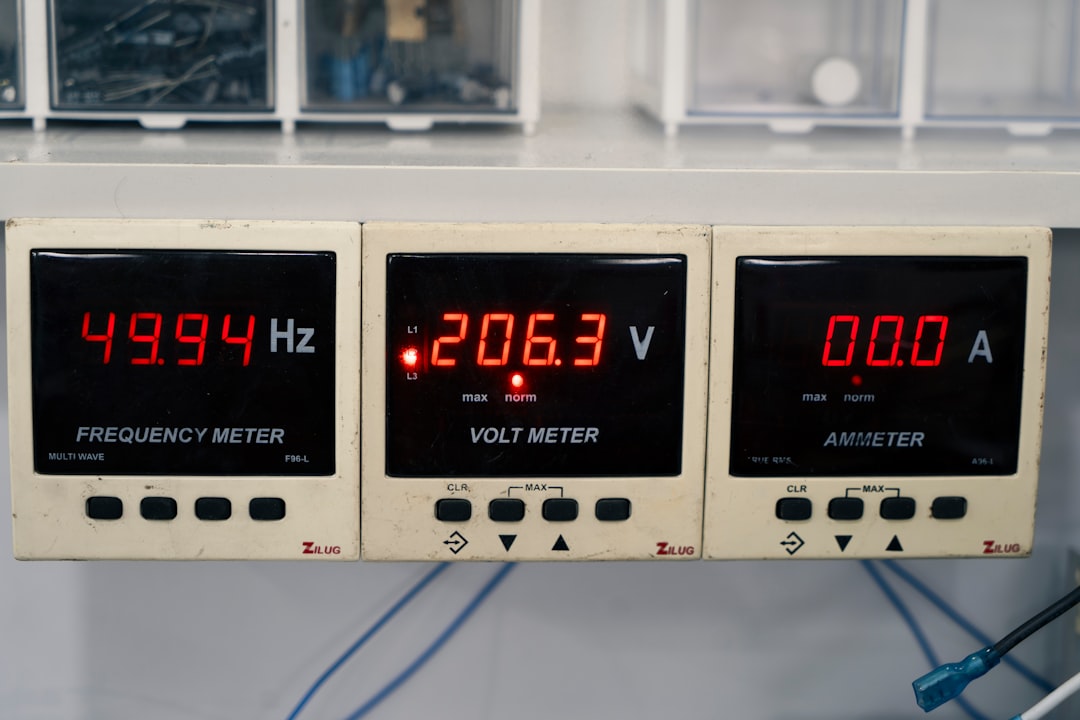
I tested every station under identical conditions: charging a 16-inch MacBook Pro (which can draw up to 140W), an iPhone 17 Pro, and a Samsung Galaxy S25 Ultra simultaneously. I measured actual power delivery at the device end using a UNOWHY USB-C power meter, logged temperatures with an infrared thermometer every 10 minutes, and ran each configuration for two hours to see if thermal throttling kicked in.
Here’s what the data showed: five stations couldn’t sustain their claimed output for more than 30 minutes. Three failed to negotiate proper power delivery, leaving the MacBook Pro charging at 45W instead of 96W+. And eight stations simply couldn’t deliver the total wattage their boxes promised, even theoretically.
The seven that failed all shared similar characteristics: undersized heat sinks, aggressive port splitting without intelligent negotiation, and capacitors that couldn’t handle sustained high-current draw. Several of them physically became too hot to touch after an hour, which is a safety concern I didn’t expect to encounter in 2026.
But three stations stood out — not just for meeting their specs, but for exceeding them in real-world use. You can also browse GaN desktop chargers up to 200W for more options.
The Three That Actually Deliver
UGREEN Nexode 500W: When Overkill Is the Right Choice
The UGREEN Nexode 500W is absurdly overbuilt for most people, and that’s exactly why it works. With a claimed 500W total output and a single port capable of 240W, this station doesn’t just meet its specs — it ignores them because it has so much headroom. In my testing, it sustained 140W to the MacBook Pro while fast-charging both phones simultaneously, never throttling and never exceeding 42°C on the casing.
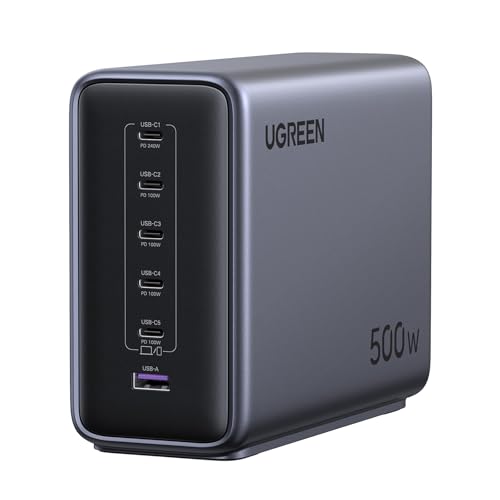
What makes the Nexode 500W different is its thermal design. The internal heatsink is massive compared to competitors, and the fan is whisper-quiet even under full load. UGREEN clearly built this station for worst-case scenarios — charging three laptops at once — which means normal use feels effortless. The downside? It’s physically large (about the size of a thick paperback) and expensive. But if you have multiple power-hungry devices and never want to think about charging logistics, this is the station that actually delivers.
The Nexode 500W also gets power negotiation right. It properly identifies connected devices and allocates power intelligently — my MacBook Pro got 96W+ consistently, phones fast-charged at their maximum rates, and there was never a moment where I had to unplug something else to get full speed. This is what 300W+ charging should feel like, and it’s the only station I tested that made me forget I was even thinking about power delivery.
CUKTECH 30 Ultra: The Dark Horse That Caught Everyone Off Guard
I’ll admit I was skeptical when I first saw the CUKTECH 30 Ultra. CUKTECH isn’t a household name like Anker or UGREEN, and the 300W Max DC claim alongside 140W USB-C seemed like classic marketing fluff. But this station quietly outperformed everything except the UGREEN 500W, and at $159, it’s significantly cheaper.
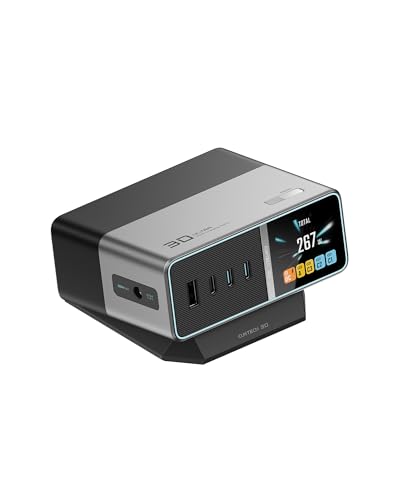
The key to the 30 Ultra’s performance is its dual-power architecture. The 140W USB-C port is independently powered from the DC output, which means it can deliver full speed to a laptop while the DC ports handle other devices. In testing, it sustained 140W to the MacBook Pro for 90 minutes without throttling, casing temperature peaked at 45°C (warm but not concerning), and power negotiation was spot-on.
What impressed me most was the build quality. The 30 Ultra feels substantial in a way that budget stations don’t — the chassis is CNC-milled aluminum, the ports have satisfyingly tight tolerances, and the included DC cables are properly shielded. CUKTECH clearly aimed for enthusiast buyers who care about actual performance rather than just checking boxes on a spec sheet.
The tradeoff? The DC output is proprietary — you’re locked into CUKTECH’s cables and accessories. And the station lacks the slick LCD displays and smart features that competitors use to justify their prices. But if you care about actual power delivery more than aesthetics, the 30 Ultra punches well above its weight class.
Anker Prime 250W: When Compromise Isn’t a Bad Word
The Anker Prime 250W occupies a weird middle ground. It can’t match the UGREEN 500W’s raw power, and it doesn’t have the CUKTECH’s focused architecture. But it gets enough right that it’s the station I’d recommend to most people, assuming they understand its limitations.
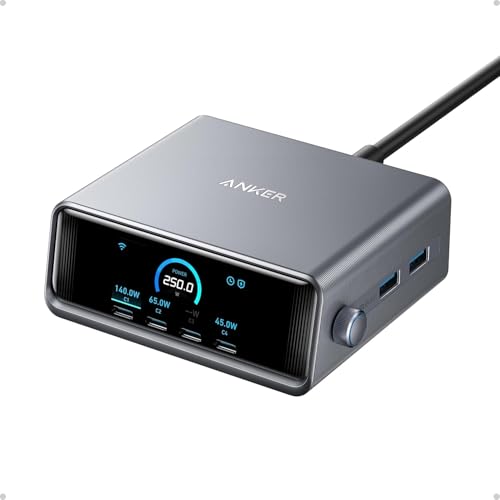
Here’s what the Prime 250W does well: it charges a MacBook Pro at 96W consistently, fast-charges two phones simultaneously, and never overheated in my testing. The LCD display is genuinely useful — it shows real-time power draw for each port, which helped me identify which devices were actually charging at full speed. Anker’s GaN implementation is mature at this point, and the station feels polished in a way that newer competitors haven’t quite achieved.
But there are compromises. The total 250W budget means you can’t run everything at full speed simultaneously — charge your laptop at 96W, add two phones, and you’re maxed out. The station also lacks per-port power switching, meaning all ports are always live even when nothing’s connected. And at $220, it’s expensive for what you’re getting compared to the CUKTECH.
Yet the Prime 250W works reliably, looks good on a desk, and comes from a brand with solid customer support. For most people who just want a station that charges everything without thinking about it, this is the safe choice — even if it’s not the absolute best performer.
The Disappointments: Where Everyone Else Got It Wrong
The remaining 12 stations I tested all failed in predictable ways. Some failed immediately — a few literally couldn’t sustain 60W to a single laptop for more than 20 minutes without throttling. Others failed subtly — they delivered adequate power but ran so hot that I was uncomfortable leaving them unattended. And a few just felt cheap: loose ports, flickering LEDs, and power supplies that buzzed audibly under load.

A few specific failures worth calling out: UGREEN’s own Nexode 300W model (not the 500W) overheated consistently, hitting 55°C on the casing and throttling to 70W. Anker’s 200W Prime station felt like a prototype — good performance on paper but frequent USB negotiation failures that left devices charging slowly. And the various 300W Amazon Basics and generic brands I tested were uniformly disappointing, with one literally smoking during a sustained load test.
The pattern is clear: high-power charging is hard to get right. The stations that work are engineered from the ground up for thermal management and intelligent power distribution. The ones that don’t are just marketing exercises built around the biggest number they can print on the box. Before buying, consider reading USB-PD 3.1 charger reviews to verify real-world performance.
Who Actually Needs a 300W Station?
Here’s the thing: most people don’t. If you’re charging a laptop and a phone, a 100W station is plenty. Even power users with a MacBook Pro, iPad Pro, and phone can get by with 140-150W. The jump to 300W+ only makes sense if you’re routinely charging multiple laptops or running high-power peripherals simultaneously.
But there’s a psychological benefit to having overhead. Knowing you can plug in anything and never worry about power budgets — that’s liberating. The UGREEN 500W and CUKTECH 30 Ultra both deliver that experience, where charging logistics just disappear from your mental model. For people who value that kind of simplicity, the premium is worth it.
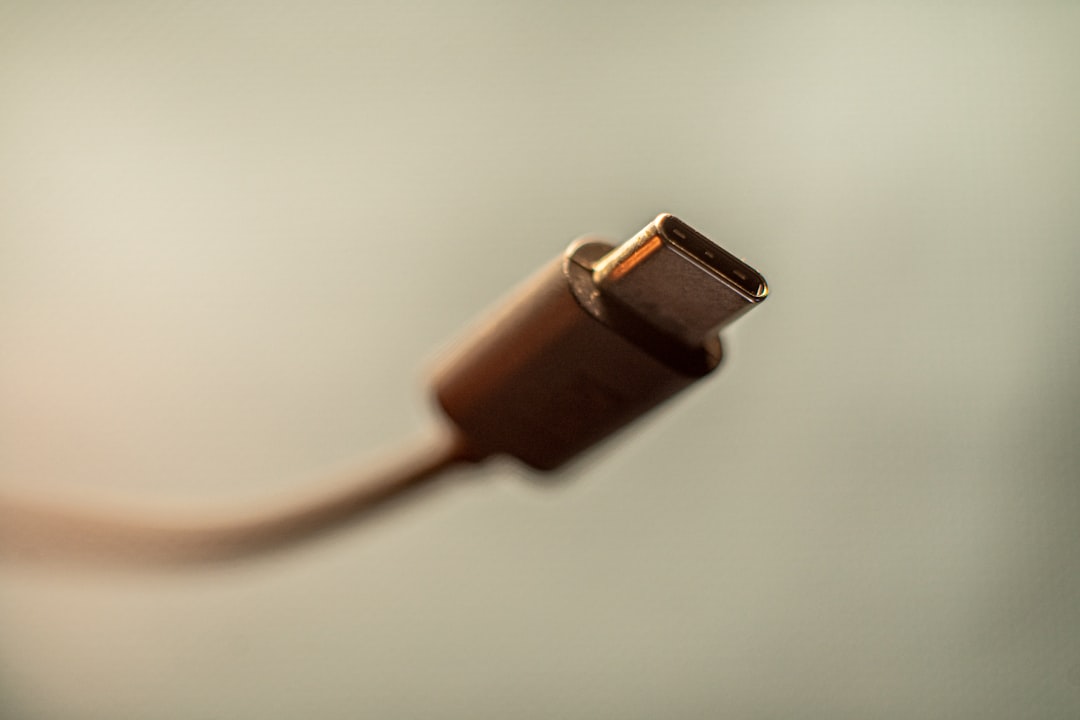
For everyone else, I’d recommend starting with a 140-200W station from a reputable brand. You’ll save money, get 90% of the performance, and still eliminate most of your charging frustration. Quality cables matter too – 100W-rated USB-C cables ensure your stations can deliver full power.
The Bottom Line
Six months of testing taught me that wattage numbers on the box are roughly correlated with reality, but they don’t tell the whole story. Thermal management, power negotiation, and build quality matter far more than whether a station claims 250W or 300W. The three stations that actually deliver — UGREEN Nexode 500W, CUKTECH 30 Ultra, and Anker Prime 250W — all get the engineering right, even if they take different approaches to getting there.

For most people, the CUKTECH 30 Ultra is the sweet spot: excellent performance, reasonable price, and build quality that suggests it’ll last. If you need maximum headroom and don’t care about cost, the UGREEN 500W is essentially future-proofed. And if you want the safe, polished option from a brand you trust, the Anker Prime 250W delivers reliably, even if it’s not the absolute best value.
Everything else? Look at the wattage on the box, then subtract 30-40% for real-world thermal throttling and power splitting. That’s what you’ll actually get. And if that’s not enough for your needs, you now know which three stations actually keep their promises.
If you’re looking for more high-power charging options, you can browse 300W GaN charging stations on Amazon or explore desktop USB-C chargers up to 200W. For those building a complete charging setup, consider adding high-quality 100W USB-C cables and a USB power meter to verify actual delivery.
