
Two Christmases ago a relative of mine unwrapped a pair of noise-canceling earbuds at 7:40 in the morning, opened the case, and found one bud that would not light up. Not a firmware problem, not a pairing problem. Dead. They had been bought on a late-October sale, sat in a closet for eight weeks wrapped in paper with a bow on top, and by the time anyone pressed a button the store’s return window had closed in mid-November. That pair went into a junk drawer, and the person who bought them spent the morning pretending it was fine.
I have been doing this job for a long time, and that is still the most common holiday tech failure I see. It is rarely a bad product. It is a good product that nobody switched on until the one morning of the year when nobody has time to troubleshoot, the stores are closed, every console on the planet is downloading the same update, and the only charger in the house is the one already plugged into Grandma’s phone. So this year my rule is simple. Every gadget bought between Thanksgiving week and the middle of December gets opened twice: once by me, on a quiet weeknight, while the return clock is still running, and once by the person it is for. Here is the routine, the return dates that make it safe, and the small Christmas morning gadget setup kit that keeps the day from turning into a help desk.

The Short Answer for the Box Already on Your Porch
If the Black Friday order is arriving this week and you only want the checklist, this is what I do and what I keep on hand. Everything here costs less than one decent pair of earbuds, and most of it outlives the gadgets it supports.
- Open it cleanly: a Slice Ceramic Box Cutter, because a ceramic blade that barely sticks out cuts tape without slicing the retail box or the cable inside it.
- Mark what you tested: a Brother P-touch PT-D220 Label Maker for tagging chargers and cables so the right brick goes back in the right box.
- Charge everything at once: the Anker Prime 6-Port 200W Charging Station, which handles a laptop, a tablet and four small things at the same time.
- Give it a place to plug in: an Anker 12-Outlet Surge Protector Power Strip for the sideboard or the TV stand on Christmas morning.
- Cables that are not the one in the box: an Anker 240W USB-C to USB-C Cable (2-Pack), so you never have to break the seal on a gift’s own cable just to top it up again.
- Keep the cords tamed: VELCRO Brand ONE-WRAP Cable Ties to re-bundle cables the way the factory had them.
- Batteries the toys will actually get: Panasonic eneloop AA Rechargeable Batteries and the Panasonic eneloop BQ-CC55 Quick Charger to refill them.
- The screwdriver every battery door wants: the iFixit Moray Precision Bit Driver Kit.
- Storage that goes in before the bow: a SanDisk 256GB microSD Express Card for the new console, and a Samsung EVO Select 256GB microSDXC Card for tablets, cameras and dash cams.
- Glass on day one: a Spigen EZ Fit Tempered Glass Screen Protector matched to the exact phone or tablet model, applied before the first fingerprint.
Find Out Which Return Clock You Are On
The whole idea of opening a gift early only works if a bad unit can still go back. The good news is that the big holiday return windows are generous this year. The bad news is that they do not line up, and the fine print matters more than the headline.
Amazon’s 2026 holiday policy covers most items purchased between November 1 and December 31, 2026, and those can be returned through January 31, 2027. Apple-branded products bought on Amazon in the same window get a shorter leash: January 15, 2027. Anything you bought during October’s Prime sale is not covered by the extension and is on the normal 30-day-from-delivery clock, which for a lot of people ran out in mid-November. If your gift closet has October boxes in it, those are the ones to open tonight, because the window is already closed and you need to know now whether you are dealing with a warranty claim.
Best Buy’s extended window is for purchases made October 30 through December 31, with most items returnable through January 15, 2027 (paid My Best Buy Plus and Total members get longer). Two exceptions trip people up every year. Activatable devices, which means phones, cellular tablets, hotspots and cellular smartwatches, stay on a 14-day clock and are excluded from the holiday extension. And Best Buy charges a 15 percent restocking fee on opened drones, digital cameras, camera lenses and camcorders, including action cameras, unless the box was never opened or you live in one of the states where the fee does not apply. Read that twice before you slit the tape on a drone.
Apple’s own store runs on delivery dates rather than order dates. Eligible products received from the Apple Store between November 6 and December 25, 2026 can be returned through January 8, 2027. iPhones financed through T-Mobile or Verizon are excluded and stay on the standard 14-day policy. So a carrier-financed phone that arrives on December 1 is past its return window by mid-December, long before anyone unwraps it.
Before any of this, I run every sale through the same ten-minute price check I described in my Black Friday deal-checking routine. A deal is only a deal if the thing works, and the return clock is part of the price. Write the last return date on a sticky note inside the box lid, or better, print it on a label. When the box comes back out on December 26 to be put away, that date tells you whether you still have options.
The Open, Test, Rewrap Routine
This takes about twenty minutes per gadget, a little longer for a laptop. I do it at the kitchen table on a weeknight with the house quiet. The people who help me run my test bench know the drill by now: nothing leaves the table until it has powered on, charged, taken its first update if it can, and gone back into its box looking untouched.
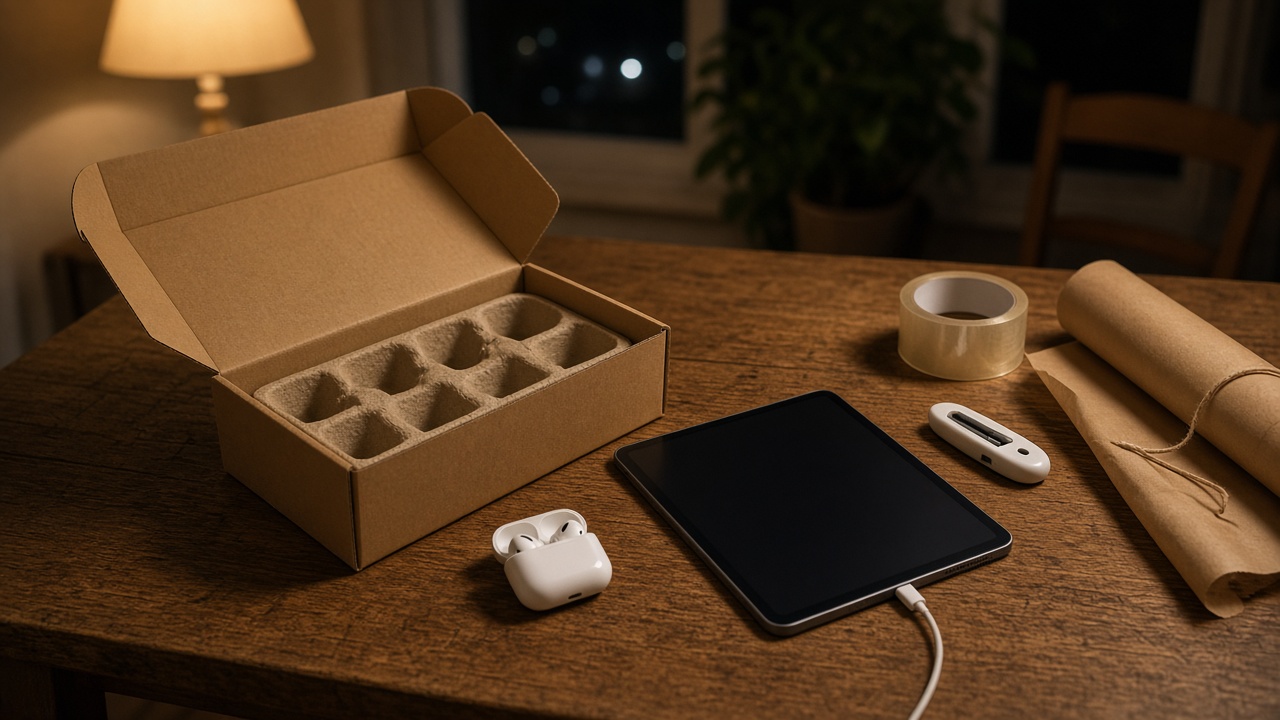
- Photograph the box before you cut anything. A quick shot of the seals, the serial-number sticker and the receipt or order page. If you ever need a warranty claim or a return, that serial number is what the store will ask for.
- Cut the tape, not the box. Run the Slice Ceramic Box Cutter along the shipping tape and any clear retail seal stickers. Lift the stickers instead of tearing them when you can. Many retail boxes have a pull tab; use it gently and it often reseals with a dab of clear tape.
- Lay out the contents in the order they came out. Phones and tablets especially are packed like puzzles. Take a second photo of the open tray so you can put the film, the cable and the paperwork back the same way.
- Power on and charge to full. Most lithium gadgets ship partly charged. Taking them to 100 percent tells you the charging port, the cable and the battery all work, and it means the device is ready to use on the morning itself. Then unplug it. A few weeks sitting in a box will not hurt it.
- Check the things that fail out of the box. Dead pixels and backlight bleed on screens, both earbuds and the case lights on headphones, every button and stick on controllers, every port on laptops, the camera on phones and tablets. Five minutes here catches 90 percent of the bad units I have ever seen.
- Update only if it does not want an account. Some devices will happily take a firmware update from a setup screen with nothing but Wi-Fi. If the device demands a sign-in first, stop there. The new owner should set up their own account, and you do not want your name stuck on their activation lock.
- Power down and repack. Film back on, cable back in its twist tie or a fresh VELCRO Brand ONE-WRAP Cable Ties, tray back in place, box lid closed, a short strip of clear tape where the seal was. Then label it with a Brother P-touch PT-D220 Label Maker tag on the outer shipping box: what it is, tested date, last return date.
A note on store policy, because I want to be straight with you. Amazon’s policy talks about items in original or unused condition. Testing a gadget for a few minutes and repacking it carefully is a world away from using it for a month, and in my experience it has never been a problem. But that is exactly why the routine is about turning it on, confirming it works and putting it back the way it came. This is a check, not a trial run.

Tablets and Laptops
Screens are where the morning gets ruined, because a stuck pixel is impossible to unsee once someone points it out over coffee. Open a plain white web page and a plain black one at full brightness and look at the corners. Plug the charger in and confirm the battery icon changes. On a laptop, plug something into every USB port, and check that the keyboard backlight and the webcam work. Then shut it down from the menu rather than closing the lid, so it is not sitting in sleep for a month.
If you bought one of the clearance tablets I wrote about in last week’s last-call tablet guide, this is also when the memory card goes in. More on that below.
Consoles and Controllers
Consoles are the worst offenders on Christmas morning, because they nearly always want a system update on first boot and everybody else in the country is asking the same servers for the same file at the same hour. If your console will download the update from its setup screen before account creation, let it. If it wants a profile first, at least test that it powers on, outputs a picture and that the controller pairs. Then turn it off at the menu. Check every button, both sticks for drift in the controller test screen if there is one, and the charging light on the controller.
Headphones and Earbuds
Open the case, confirm both buds light up or chime when you take them out, and charge the case. That is the whole test, and it is the one that would have saved my relative’s morning. Do not pair them to your phone if you can avoid it. If you have to pair to confirm audio, remove the pairing afterward so the new owner does not find your phone in their device list.
What I Leave Sealed, and Why

There are three kinds of gifts I do not open early, and the reasons are all about money.
First, anything that carries a restocking fee once opened. At Best Buy that list includes drones, digital cameras, camera lenses and camcorders, including action cameras, at 15 percent of the price. On a $700 drone that is $105 for the privilege of checking it works. For these I inspect the outer box, confirm the seals are intact, confirm the serial-number sticker matches the order, and leave it alone. If it turns out to be bad on Christmas morning, an unopened-until-Christmas defective unit is a warranty or exchange conversation, not a restocking-fee conversation.
Second, carrier phones and cellular devices. They are on short return clocks, they activate the moment a SIM or eSIM touches them, and you can easily start a billing cycle you did not mean to. Let the new owner set those up, and do it in the store or with the carrier on the phone if it is a family plan change.
Third, anything sold as a sealed collectible or that the recipient will care about opening themselves. A kid who has wanted a specific console for a year will notice the seal sticker. Some battles are not worth winning, so for that box I test nothing and pack an extra-good kit instead.
Build the Christmas Morning Charging Station
The single most useful thing I set up every year is not a gadget. It is one spot in the house, usually the sideboard next to the tree, where every new thing can be plugged in at once, with cables that are not anybody’s everyday cable. Christmas morning has a pattern. Five devices come out of five boxes. Each one has a short cable and no charger in the box. Everybody wanders off looking for an outlet, and by noon three phones are dead because their chargers got borrowed.
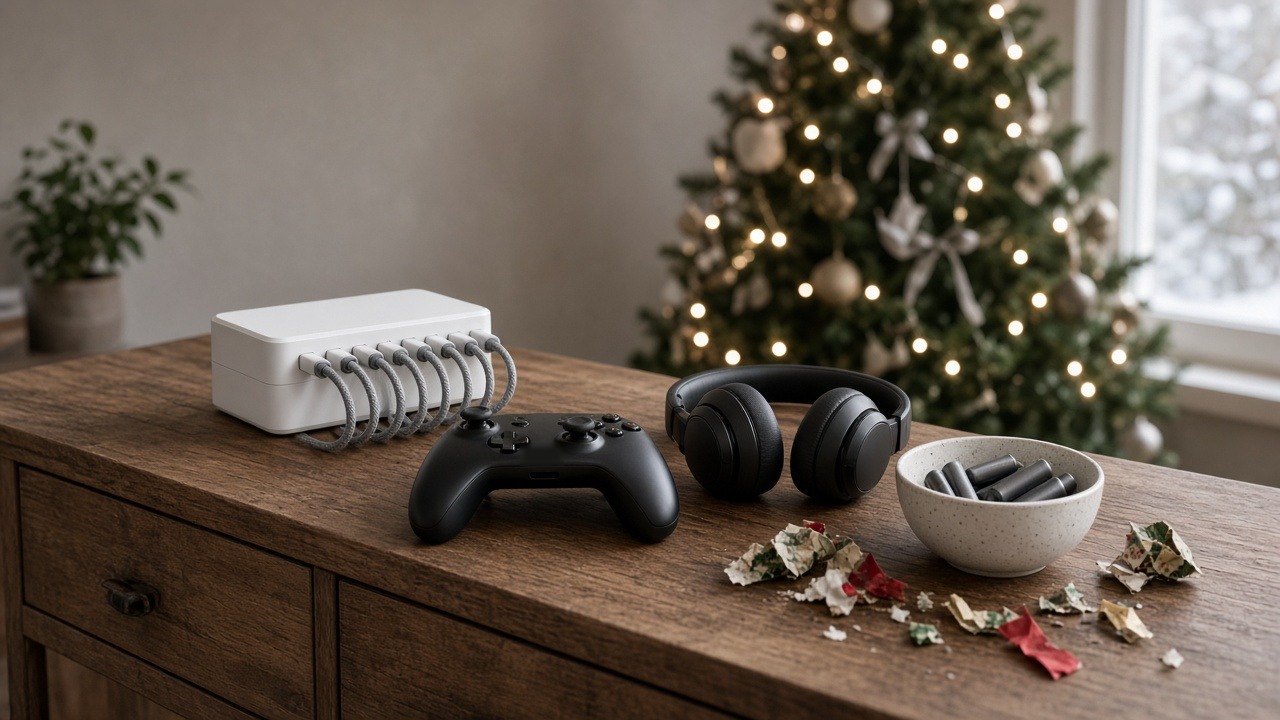
The core is a multi-port charger with enough wattage to share. I use the Anker Prime 6-Port 200W Charging Station because it can run a laptop and a tablet at speed while four smaller things trickle along, and it sits flat on a shelf instead of hanging off the wall. Behind it goes an Anker 12-Outlet Surge Protector Power Strip so the tree lights, the TV, a console and the charger are not fighting over one duplex outlet behind the couch.
Then cables. I keep a pair from an Anker 240W USB-C to USB-C Cable (2-Pack) on the station, plus whatever older-style cables the household still needs, and I tag both ends with the label maker so nobody walks off with them. The new gadget’s own cable stays in its box until the owner decides where it lives. That one change ended about half of the “where’s my charger” arguments in my house.
The Battery and Screwdriver Drawer
The other Christmas morning stall happens in the toy aisle of the living room. Remote-control cars, light-up anything, kids’ walkie-talkies, the singing plush toy, the game controller that still takes AA cells. Batteries not included, and when they are included they are usually the weak ones that last an afternoon.

I switched our house to rechargeables a while ago, and I explained the whole conversion in my battery-drawer detox. For the holidays the short version is a pack of Panasonic eneloop AA Rechargeable Batteries, charged the night before, and a Panasonic eneloop BQ-CC55 Quick Charger plugged in at the charging station so the second set is filling while the first set is in use. Eneloops hold their charge in a drawer for months, so a set charged in early December is still ready on the 25th.
The part people forget is the screw. A lot of kids’ toys lock the battery door with a tiny Phillips screw, and US safety rules for button and coin cells have pushed even more products that way, to keep small hands out of the battery compartment. The kitchen junk-drawer screwdriver is always the wrong size. I keep an iFixit Moray Precision Bit Driver Kit in the same drawer as the batteries, and on gift-prep night I open every battery-powered toy, put batteries in, test it and close it back up. Leave the batteries in only if the toy has a real off switch. Otherwise put them in a labeled bag taped to the box, because a toy that sings inside its wrapping paper at 2 a.m. gives away the surprise and drains the cells.
Memory Cards Go In Before the Bow

Storage is the quietest way to make a gift feel finished. A new camera with no card in it is a paperweight on Christmas morning, and a new console that fills up after two game downloads is a frustration by New Year’s Day.
For the newest Nintendo console the card has to be a microSD Express card, not the ordinary kind. A SanDisk 256GB microSD Express Card is the straightforward pick, and I went through the rest of the worthwhile add-ons in my Switch 2 accessories guide. For tablets, cameras, dash cams and older handhelds, a Samsung EVO Select 256GB microSDXC Card is the card I hand out by default. Insert the card during your test night, let the device format it, and you have also confirmed the slot works.
Cameras deserve one more step: charge the battery, put the card in, take three test shots, look at them on a computer, then delete them and format the card in the camera. If it is one of the categories with a restocking fee, skip all of that and simply tape the card to the outside of the box under the wrapping paper, so it is the first thing that comes out.
Accounts, Wi-Fi and the Ten-Minute Card
Hardware rarely ruins the morning on its own. Accounts do. A child account on a console, tablet or phone usually needs a parent to approve it, often from the parent’s own phone, and sometimes through an email confirmation. That parent is usually up to their elbows in cinnamon rolls at the moment it matters. So on test night I write the setup on an index card for each gadget and put it inside the box: which account it should sign into, who approves it, the Wi-Fi network name and password, and anything special like a parental-controls PIN to set.
Do the account homework now. If a child needs an account created under a family group, create the account in December from the parent’s device, so on Christmas morning it is only a sign-in. If an adult is getting a new phone, remind them a week ahead to back up their old one and make sure they know their own account password. Nobody remembers it on the 25th.
Screen protectors fit here too, because the best time to apply one is before the first fingerprint. If the phone or tablet is for someone in my own house, I will often apply a Spigen EZ Fit Tempered Glass Screen Protector on test night using its alignment frame, which makes it close to foolproof. If it is for someone who will want to peel the factory film themselves, I tape the protector box to the outside of the gift instead. Either way, check that the protector matches the exact model and size. A protector for the wrong generation is the most common mistake I see at this stage.
Rewrap It Like Nobody Was Ever There

After the test, the box goes back to looking factory fresh. Seals get a slim strip of clear tape. The serial-number photo goes into a phone album called “gift receipts” next to the order confirmation. The shipping box gets a label with what is inside, the date I tested it and the last return date. Then the retail box gets wrapped like any other present, with the card for setup and any loose memory card or batteries taped to the inside of the paper.
This is the same thinking Elena uses for holiday cookies over on the home site: send yourself a test before the real thing ships. Her Black Friday test-box guide is about shortbread instead of earbuds, but the logic is identical. Find the failure while there is still time to fix it.
One more thing that saves a lot of quiet frustration: coordinate with the rest of the family before the second pair of the same headphones shows up. We keep everybody’s wishlist on a shared gift list on gifts.omnux.com. People mark what they are buying without the recipient seeing who claimed what, so nobody doubles up and the surprise survives until the paper comes off.
My Calendar From Black Friday to Christmas Eve
Here is how I spread the work out so it never becomes an all-nighter.
- Thanksgiving week (November 23 to 30): buy. Black Friday is November 27 and Cyber Monday is November 30. Everything bought from November 1 on is inside the big holiday return windows, so there is no penalty for buying early.
- The first weekend of December: open, test and rewrap everything that has arrived. Label each shipping box with the last return date. Order replacements for anything that failed now, while stock is still on shelves.
- Mid-December: charge the rechargeable batteries, load memory cards, create child accounts from the parent’s device, and write the setup cards.
- December 23 or 24: set up the charging station on the sideboard, plug in the power strip, lay out the spare cables and the screwdriver kit, and put a fresh set of charged batteries in a bowl.
- After the holiday: keep an eye on the dates. Apple Store returns close January 8, Best Buy’s most common date is January 15, Apple-branded items bought on Amazon also close January 15, and most other Amazon items close January 31.
Late shoppers are not out of luck. Anything ordered in the second half of December still goes through the same twenty-minute test. You just have fewer days to get a replacement, so test the day it lands rather than the weekend after.
What This Buys You on the 25th
None of this is glamorous. Nobody will thank you for the label maker or the screwdriver. But the gift will turn on, it will be charged, it will have its storage in it, and the person opening it will be using it before the coffee is cold, instead of watching a progress bar while you dig through drawers for a cable. And if something was broken, you found out on a Tuesday night in December with weeks left on the return clock, not on the one morning of the year when every store is closed.
Open it twice. It is the cheapest upgrade you will make to any gadget this holiday.