
Last November, the laptop question was easy. You waited for Black Friday, you picked the model with the best discount, and you saved a couple hundred dollars. This year the price on a lot of laptops went up before the sale even started. Dell quietly added a hundred dollars to its entry XPS 13 and halved the storage at the old price. Apple bumped its cheapest laptop by a hundred. Acer’s own CEO said publicly that PC prices would climb five to twenty percent before the end of the year. So when a “deal” shows up in four weeks, there is a real chance it is only taking you back to where the price was in the summer.
The cause is memory. AI data centers are buying DRAM and flash storage faster than the factories can make it, and laptops are standing in the same line. I have been covering hardware for about twenty-five years, and I cannot remember a holiday season where one part of the bill of materials pushed this hard on what normal people pay for a normal computer.
That does not mean you should panic-buy, and it does not mean you should sit this year out. It means the old rule, “just wait for Black Friday,” is not enough anymore. My team and I pulled together the pricing reports, the analyst numbers, and the spec sheets, and boiled it down to a set of rules for anyone who actually needs a laptop between now and the new year.

What Is Actually Happening to Laptop Prices
Here is the short version, with the numbers that matter. TrendForce, the market research firm that tracks memory contract prices, expects conventional DRAM contract prices to rise another ten to fifteen percent in the fourth quarter of 2026, with NAND flash up fifteen to twenty percent. Later reporting put the DRAM increase closer to twenty percent. That sounds mild until you remember the context: those same contract prices jumped roughly eighty percent in the second quarter and about forty percent in the third. The increases are slowing. The prices are not falling.
TrendForce also estimates that the processor, memory, and SSD together make up roughly two thirds of the parts cost of a mainstream nine-hundred-dollar notebook. When two of those three get dramatically more expensive, the laptop makers have exactly three options. Raise the price, cut the memory or storage, or eat the margin. Most are doing some mix of the first two. That is why you are seeing the same model name at the same price with half the SSD it had in the spring.
The demand side is weak, too. IDC reported that third-quarter PC shipments fell about twenty percent year over year, and its analysts expect prices to stay elevated into 2027. That is the one piece of good news for Black Friday. Retailers sitting on laptops they bought at the old cost will want to move them, so you will see promotions. Just do not expect last year’s prices. Those are gone, at least for now.
If you have been following our coverage, none of this is new. We wrote about the great storage squeeze in September and about what the RAM market did to local AI builds earlier this month. This piece is the practical version for the person who just needs a new laptop and wants to know what to do.
Rule One: Do Not Buy an 8GB Laptop This Year
This is the rule I would put on a sticky note if I could only give you one. Eight gigabytes of memory was tight two years ago. In 2026, with browsers that eat a gigabyte per busy tab, video calls running in the background, and AI features baked into both Windows and macOS, it is a machine you will be annoyed with in eighteen months.
The memory crunch makes this trap worse, not better. Manufacturers know the cheapest way to hold a price point is to ship less RAM, so the 8GB configurations are the ones that look like bargains on the sale page. Engadget pointed out that moving the entry Dell XPS 13 from 8GB to 16GB now costs about two hundred dollars. On the Apple side, the most affordable Mac laptop with 16GB is the Apple MacBook Air 13-inch (M5, 16GB), which is a big step up from the entry price but is also the one I would actually tell a friend to buy.
If the budget only stretches to an 8GB model, I would rather you buy a 16GB model from last year than an 8GB model from this year. A one-year-old processor with enough memory will age far better than a brand-new chip that spends its life swapping to disk.
Rule Two: Find Out Whether the Memory Is Soldered
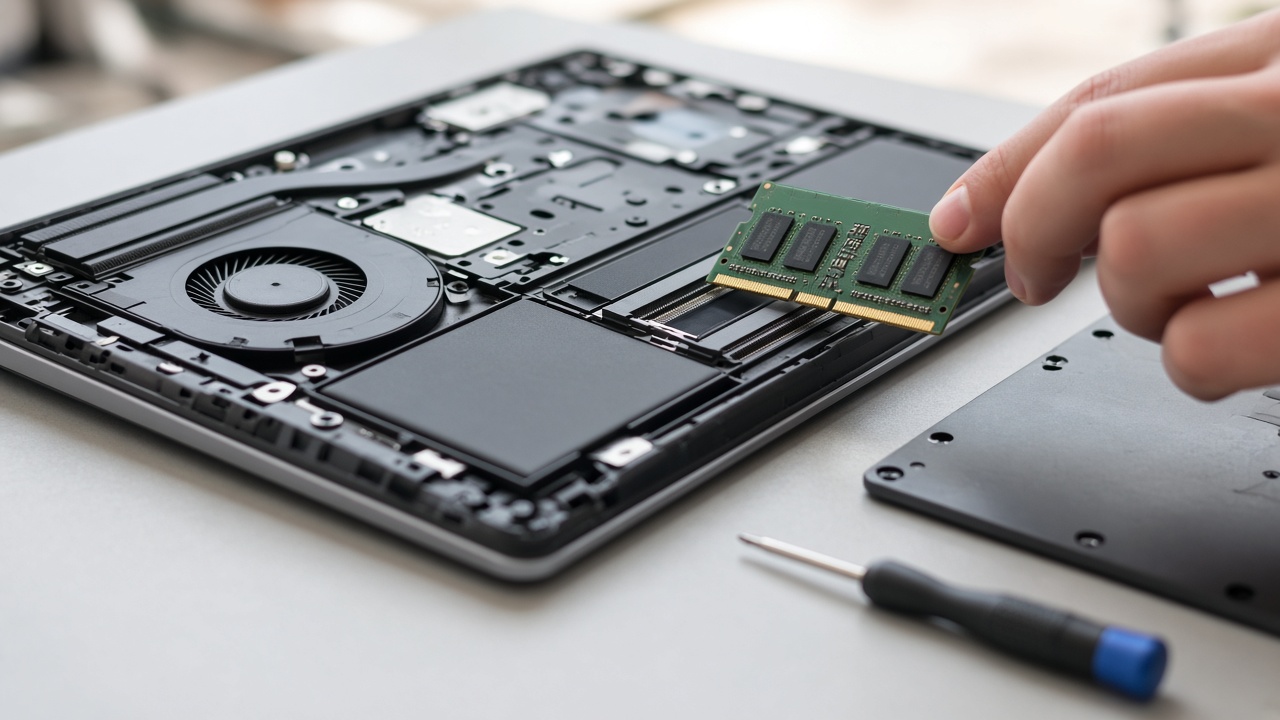
This is the question almost nobody asks in the store, and it is the one that matters most this year. On a lot of thin laptops, including every current MacBook and many premium Windows ultrabooks, the memory is soldered to the motherboard. Whatever you buy on day one is what you have for the life of the machine. On others, there are one or two standard SO-DIMM slots, and you can add memory later.
That difference changes the math. If the memory is socketed, you can buy the base configuration now, live with it through the worst of the price spike, and upgrade when memory prices cool off. Framework went as far as raising its DDR5 prices by half and openly encouraging customers to bring their own RAM. A kit like the Crucial 32GB DDR5-5600 SODIMM Kit is also more expensive than it was a year ago, but you get to choose when you pay for it.
If the memory is soldered, you have exactly one decision point, and it is at checkout. Buy enough. For most people that means 16GB minimum, and 32GB if you edit video, run local AI models, or keep a laptop for five years or more.
Rule Three: Treat Last Year’s 16GB Models as the Real Deal
The best laptop deals this Black Friday are probably not the new models. They are the outgoing ones, built and stocked before memory costs went vertical, that retailers want off the shelves. Those machines were priced against cheaper parts, and many of them shipped with 16GB as standard.
This is where a Windows laptop like the Lenovo IdeaPad Slim 5 (16GB) makes a lot of sense for students and home users. It is not glamorous, but a solid 16GB machine at a sensible price is exactly what this market is short on. The ASUS Zenbook 14 OLED is the pick I would point people toward if they want a nicer screen and a thinner chassis without going all the way to premium pricing. And the Acer Swift Go 14 tends to show up with aggressive discounts whenever retailers need to clear inventory.
When you look at any of these on sale, check the exact configuration, not just the model name. The same name can cover four or five different memory and storage combinations, and the sale price is often attached to the weakest one.

Rule Four: Watch the Storage, Not Just the RAM
Flash storage is getting hit just as hard as memory, and this is where the quiet downgrades are happening. Engadget noted that the entry Dell XPS 13 now ships with 256GB at the price that used to get you 512GB. That is a lot of laptop to spend money on and then fill up in a year.
My rule here is simple. If the storage is soldered, buy at least 512GB. If the laptop has a standard M.2 slot, buying a smaller drive and upgrading it yourself is a reasonable move, and a drive like the Crucial P310 2TB NVMe SSD costs a fraction of what laptop makers charge to go from 512GB to 2TB at checkout. If neither is an option, plan on an external drive for photos and archives. The Samsung T7 Shield Portable SSD is rugged, fast, and small enough to forget in a bag.
If you already own a decent laptop and are only shopping because it feels slow, read our case for upgrading the laptop you already have before you spend anything. A new SSD and a clean install have saved more laptops than most people realize.
Rule Five: If You Want a Mac, Wait a Few Days
Apple has an event scheduled for tomorrow, October 28. The expected lineup includes new Macs and a redesigned MacBook Pro. Whatever actually gets announced, it almost always reshuffles pricing on the outgoing models, and retailers tend to discount the previous generation aggressively once the new one ships.
So if a Mac is on your list, do nothing this week. Wait for the announcement, see what the new configurations cost, and then decide whether the current M5 MacBook Air at a Black Friday discount is the better buy. My guess is that for most people it will be. But it costs you nothing to wait a few days, and it might save you real money.

Rule Six: Know What a Real Discount Looks Like
Black Friday falls on November 27 this year, and the early deals are already rolling in. The problem is that “was” prices on a laptop listing are increasingly meaningless when the list price itself moved up in October. A thirty percent discount off a price that rose twenty percent last month is a much smaller deal than it looks.
Here is what my team does before calling something a deal:
- Check the price history on the specific configuration, not the model family. A price tracker or the retailer’s own history tells you more than the strikethrough number.
- Compare the sale price to the same configuration in the summer. If the deal only returns you to the July price, it is a fair price, not a steal.
- Compare spec for spec, especially memory and storage. The cheapest listing in a family often has the least RAM and the smallest SSD.
- Look at the return window. Holiday return windows at most big retailers stretch into January, which gives you room to buy early and still return if a better deal appears.
The return window point is the one I would lean on this year. If you see a good price on the right configuration in early November, buy it. If something better shows up on Black Friday, you can usually return the first one. Waiting for the perfect price in a rising market is how people end up paying more.

Rule Seven: Budget for the Accessories You Actually Need
Thin laptops keep losing ports, and the new budget configurations are no exception. If you are moving from an older machine with HDMI and full-size USB, you will want a hub. The Anker 7-in-1 USB-C Hub covers HDMI, USB-A, and an SD reader without much bulk. We tested a dozen of these over the summer, and our hub roundup walks through which ones are worth carrying.
The other accessory worth a look is a better charger. Many budget laptops ship with a slow, bulky brick, and a compact GaN unit like the UGREEN Nexode 100W GaN Charger can run the laptop and top up a phone at the same time. Accessory prices have not been hit the way laptops have, so this is also where Black Friday discounts are more reliable. If you are trimming the laptop budget to afford more memory, the hub is a good thing to pick up on sale.
Who Should Buy Now and Who Should Wait
Not everyone needs the same advice. Here is how I would sort it:
- Buy now or on Black Friday if your current laptop is dying, you are starting a new job or school term, or you find a 16GB model at a price that matches or beats its summer price.
- Wait a week if you want a Mac and Apple has not finished its announcements yet.
- Wait longer if your current laptop still works and you can tolerate it into the second half of 2027. Analysts expect prices to peak around the first half of next year, and memory supply for PCs could tighten further before it improves.
- Do not wait at all for a perfect Black Friday price if you need the machine for work or school. The cost of struggling with a dying laptop for another month is higher than any discount you are likely to see.
The biggest mistake I see is people pushing a purchase they do not need just because it is Black Friday. That is never good advice, and it is especially bad in a market where the deals are softer than usual.

The Short List
If you are short on time and just want to know where I would start, here is the list:
- Apple MacBook Air 13-inch (M5, 16GB): the most sensible Mac with enough memory, especially after tomorrow’s announcements shake out pricing.
- Lenovo IdeaPad Slim 5 (16GB): a no-drama Windows laptop with the memory you need at a price that makes sense.
- ASUS Zenbook 14 OLED: the step up for anyone who wants a better screen without paying flagship prices.
Whatever you pick, buy enough memory, find out whether it can be upgraded, and check the price against the summer, not against the strikethrough. If you are shopping for the kitchen too, my colleagues on the home side wrote a good guide on sorting real cookware deals from the shiny labels before Black Friday. The same instinct applies: read the spec sheet, not the sticker.
